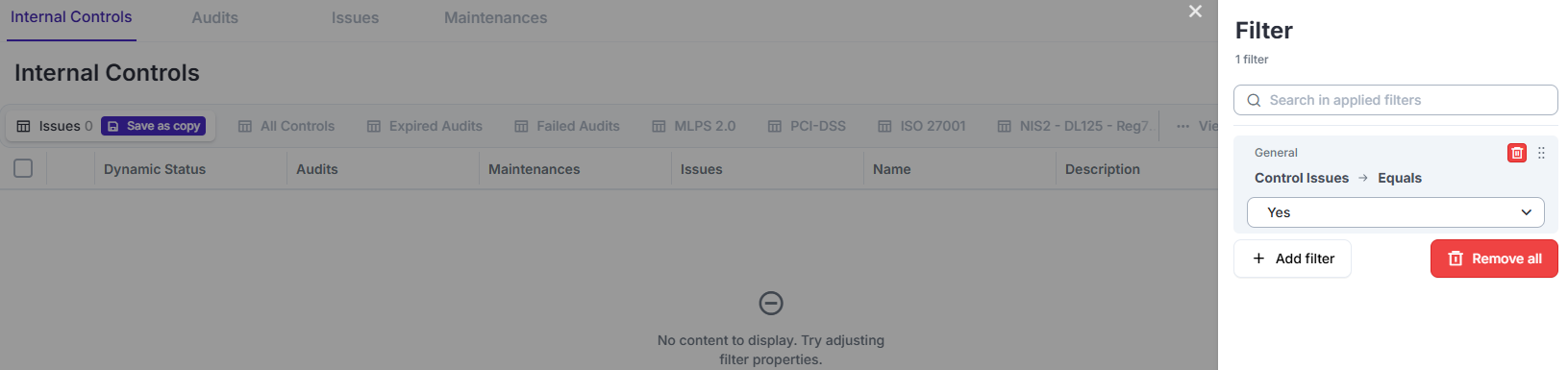
thanks for the report. Both points have the same cause: the “Issues” view lists controls that carry the “Control Issues” dynamic status, so if the status is missing, the control is also missing from the view.
We couldn’t reproduce it on 3.31.2: creating, editing, inline editing or bulk editing an issue sets the status correctly. However, once the status is out of sync it doesn’t fix itself, it is only recalculated when the issue is saved again.
Workaround: Internal Controls > Issues tab, filter Status = Open, select all, Edit, set Status to “Replace” with “Open” and Save. This recalculates the linked controls and they should appear in the “Issues” view.
To find the root cause, could you tell us how these issues were created or last changed (form, CSV import, API)?
Hi Sam, the workaround did not work. Issues were created manually using the Add Item button. I tried edit & save the system Status “Control Issues”, but it is still not appearing.
I also tried creating a new Open Issue linked to an existing control, it still doesn’t show the dynamic status nor the view.
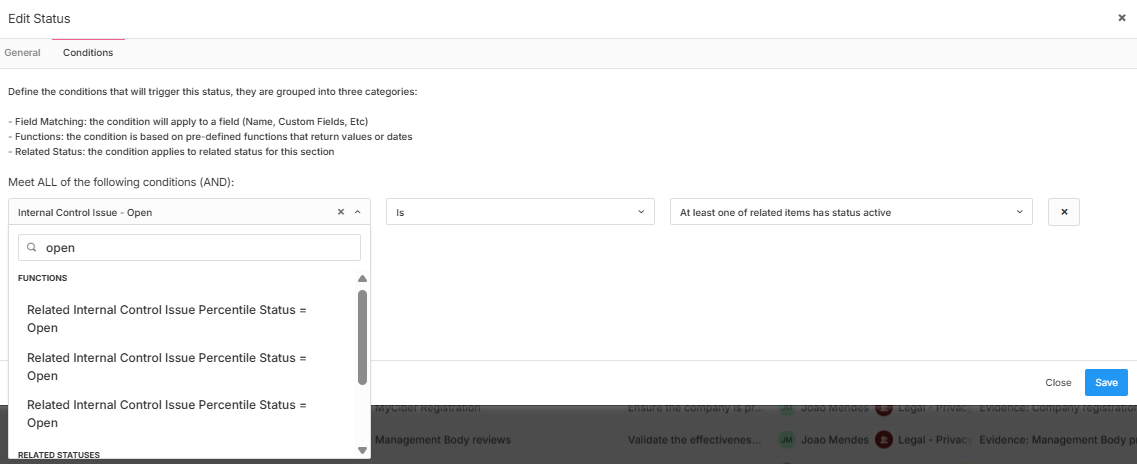
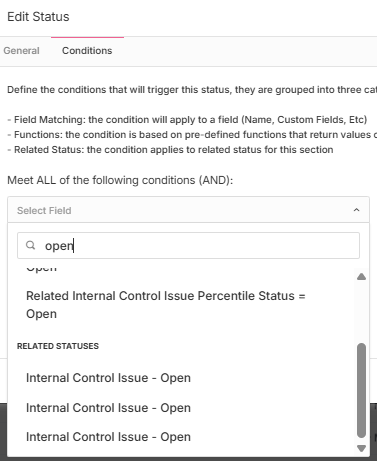
I just tried to create a new custom status (Internal Controls > Status) and I can see triplicatedfunctions and status for Open Issues (see below), none of those show all the right items, so perhaps this is causing the conflict.