# Question - Issue installing eramba on VMware
**URL:** https://discussions.eramba.org/t/question-issue-installing-eramba-on-vmware/4375
**Category:** Forum - Installation
**Created:** [March 5, 2024, 12:31pm UTC](https://discussions.eramba.org/t/question-issue-installing-eramba-on-vmware/4375 "2024-03-05T12:31:23Z")
**Posts on this page:** 3
**Page:** 1
### Author:  [@AChurchill1](https://discussions.eramba.org/u/AChurchill1)
#### Post date: [March 5, 2024, 12:31pm UTC](https://discussions.eramba.org/t/question-issue-installing-eramba-on-vmware/4375/1 "2024-03-05T12:31:23Z")
Morning!
I have been trying to install eramba using the instructions for vmware and am getting some certificate based errors, wondering if someone may be able to help. I was able to deploy the OVA, boot and SSH into it. I was able to also confirm internet access using ping (ping 8.8.8.8 and [google.com](http://google.com) successfully). Below is the console output of the steps I followed from the website. It seems like the VM is having trouble trusting certificates of websites and fails. I’m still searching for a solution online as I’m guessing its a Ubuntu issue, but hoping someone in this group may have some suggestions? Any help is greatly appreciated 🙂
```auto
eramba@eramba:~$ sudo bash
'[sudo] password for eramba:
Sorry, try again.
[sudo] password for eramba:
root@eramba:/home/eramba# curl https://support-v3.eramba.org/ping.html
curl: (60) SSL certificate problem: unable to get local issuer certificate
More details here: https://curl.se/docs/sslcerts.html
curl failed to verify the legitimacy of the server and therefore could not
establish a secure connection to it. To learn more about this situation and
how to fix it, please visit the web page mentioned above.
root@eramba:/home/eramba# cd \home\docker
bash: cd: homedocker: No such file or directory
root@eramba:/home/eramba# cd /home/docker
root@eramba:/home/docker# docker compose -f docker-compose.simple-install.yml up -d
[+] Running 0/20
⠦ mysql Pulling 3.7s
⠴ e4430e06691f Pulling fs layer 1.5s
⠴ 99677fe408e0 Waiting 1.5s
⠴ 911aa3c638bf Waiting 1.5s
⠴ 2a50ae0f3675 Waiting 1.5s
⠴ 6e229cecb99f Waiting 1.5s
⠴ c1790c22e04b Waiting 1.5s
⠴ d99e6dd61db9 Waiting 1.5s
⠴ 45eb6c638025 Waiting 1.5s
⠴ 73dc8a66483d Waiting 1.5s
⠴ 52190d1e6a3f Waiting 1.5s
⠿ cron Error 3.7s
⠦ redis Pulling 3.7s
⠴ 8921db27df28 Pulling fs layer 1.5s
⠴ aa0a0152d355 Pulling fs layer 1.5s
⠴ 402c460b24b7 Waiting 1.5s
⠴ c8fd18e4d103 Waiting 1.5s
⠴ 1b074d90c9cf Waiting 1.5s
⠴ 368d3fbb940d Waiting 1.5s
⠿ eramba Error 3.7s
Error response from daemon: Get "https://ghcr.io/v2/": x509: certificate signed by unknown authority
root@eramba:/home/docker#
```
---
### Author:  [@sam](https://discussions.eramba.org/u/sam)
#### Post date: [March 7, 2024, 7:32am UTC](https://discussions.eramba.org/t/question-issue-installing-eramba-on-vmware/4375/2 "2024-03-07T07:32:04Z")
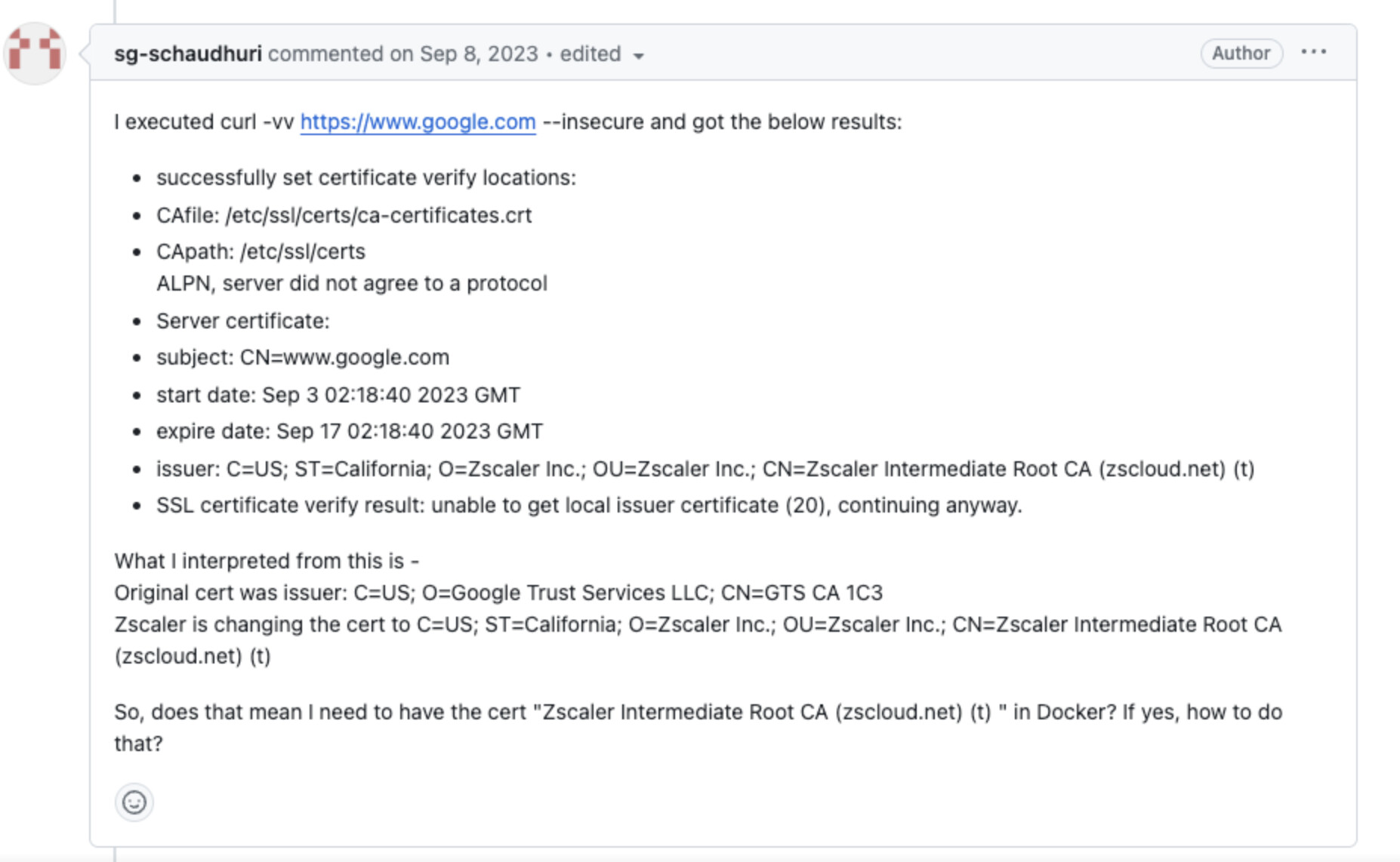
Can you try to do curl -vv command so we have verbose output? Maybe we will be able to see something more there.
Example:
---
### Author:  [@AChurchill](https://discussions.eramba.org/u/AChurchill)
#### Post date: [March 8, 2024, 12:15pm UTC](https://discussions.eramba.org/t/question-issue-installing-eramba-on-vmware/4375/3 "2024-03-08T12:15:02Z")
Here is the output of the command as requested!
```auto
eramba@eramba:~$ curl -vv https://support-v3.eramba.org/ping.html
* Trying 52.213.212.117:443...
* Connected to support-v3.eramba.org (52.213.212.117) port 443 (#0)
* ALPN, offering h2
* ALPN, offering http/1.1
* CAfile: /etc/ssl/certs/ca-certificates.crt
* CApath: /etc/ssl/certs
* TLSv1.0 (OUT), TLS header, Certificate Status (22):
* TLSv1.3 (OUT), TLS handshake, Client hello (1):
* TLSv1.2 (IN), TLS header, Certificate Status (22):
* TLSv1.3 (IN), TLS handshake, Server hello (2):
* TLSv1.2 (IN), TLS header, Certificate Status (22):
* TLSv1.2 (IN), TLS handshake, Certificate (11):
* TLSv1.2 (OUT), TLS header, Unknown (21):
* TLSv1.2 (OUT), TLS alert, unknown CA (560):
* SSL certificate problem: unable to get local issuer certificate
* Closing connection 0
curl: (60) SSL certificate problem: unable to get local issuer certificate
More details here: https://curl.se/docs/sslcerts.html
curl failed to verify the legitimacy of the server and therefore could not
establish a secure connection to it. To learn more about this situation and
how to fix it, please visit the web page mentioned above.
```