We are testing an AI assistant directly inside eramba. It uses the eramba account you are already signed in with, so there is no separate ChatGPT login to configure and it only works with information and actions available to that user.
Instead of finding a section, building a filter and exporting the result before you can start working with it, you can ask the question in plain language and continue from the answer.
None of this is final yet, including the exact scope and naming. We wanted to show the working direction while we continue testing it.
Ask about your eramba data
The assistant can search the sections available to your account, combine the results and return a short answer, a list or a table. For example, you can ask it to show the highest risks, summarise overdue control audits or compare the status of several compliance requirements.
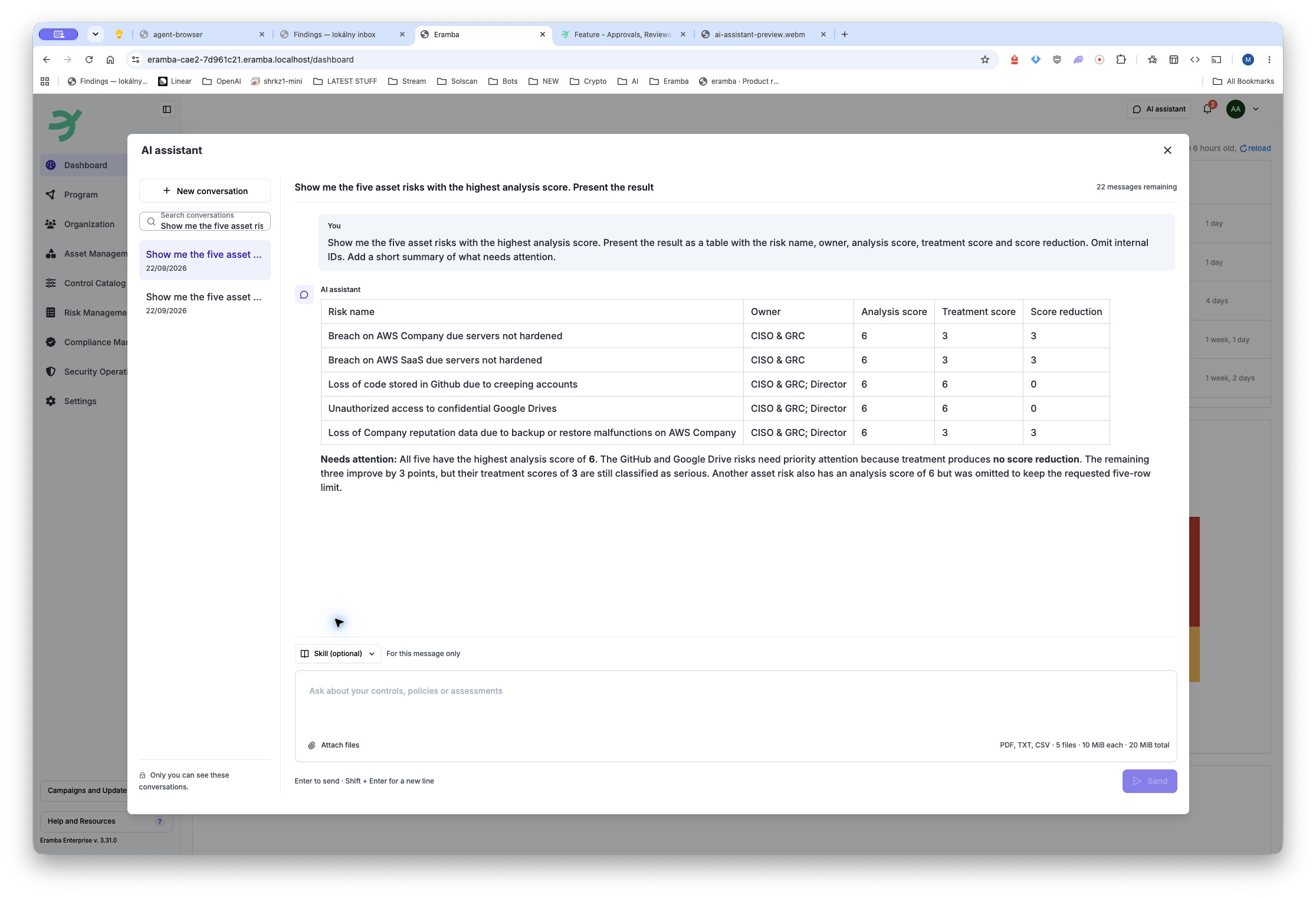
The assistant calls eramba through MCP and works with the current data and permissions of the signed-in user. The same MCP interface can also be connected to a compatible external AI client.
Changes remain under your control
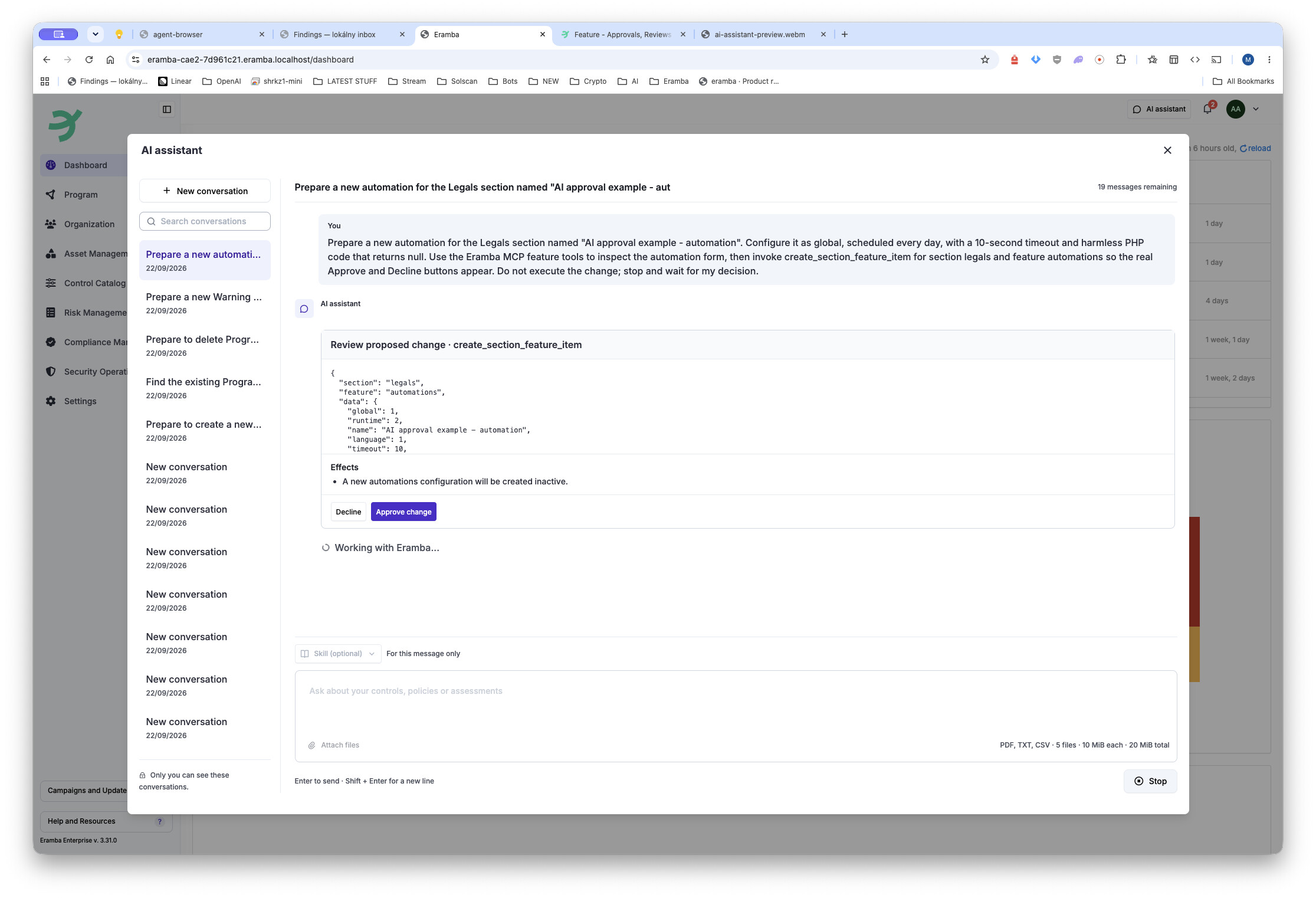
The assistant is not limited to reading data. On sections that support write operations it can prepare a new record, update an existing one or delete it.
Before anything is changed, eramba shows the exact operation and its values. The user must explicitly approve it, rejecting the proposal leaves the data unchanged. The normal eramba permissions, validation and section lifecycle still apply.
This also applies to configuration features. The current implementation can help configure notifications and, in the sections that support them, automations. It does not silently send a notification or run automation code while preparing the configuration.
Create/Edit/Delete an item
Work with documents and generated files
PDF, TXT and CSV files can be attached to a message. This lets the assistant work with source material together with the data already held in eramba. A response can contain formatted text and tables, and supported workflows can also return a generated file for the user to download.
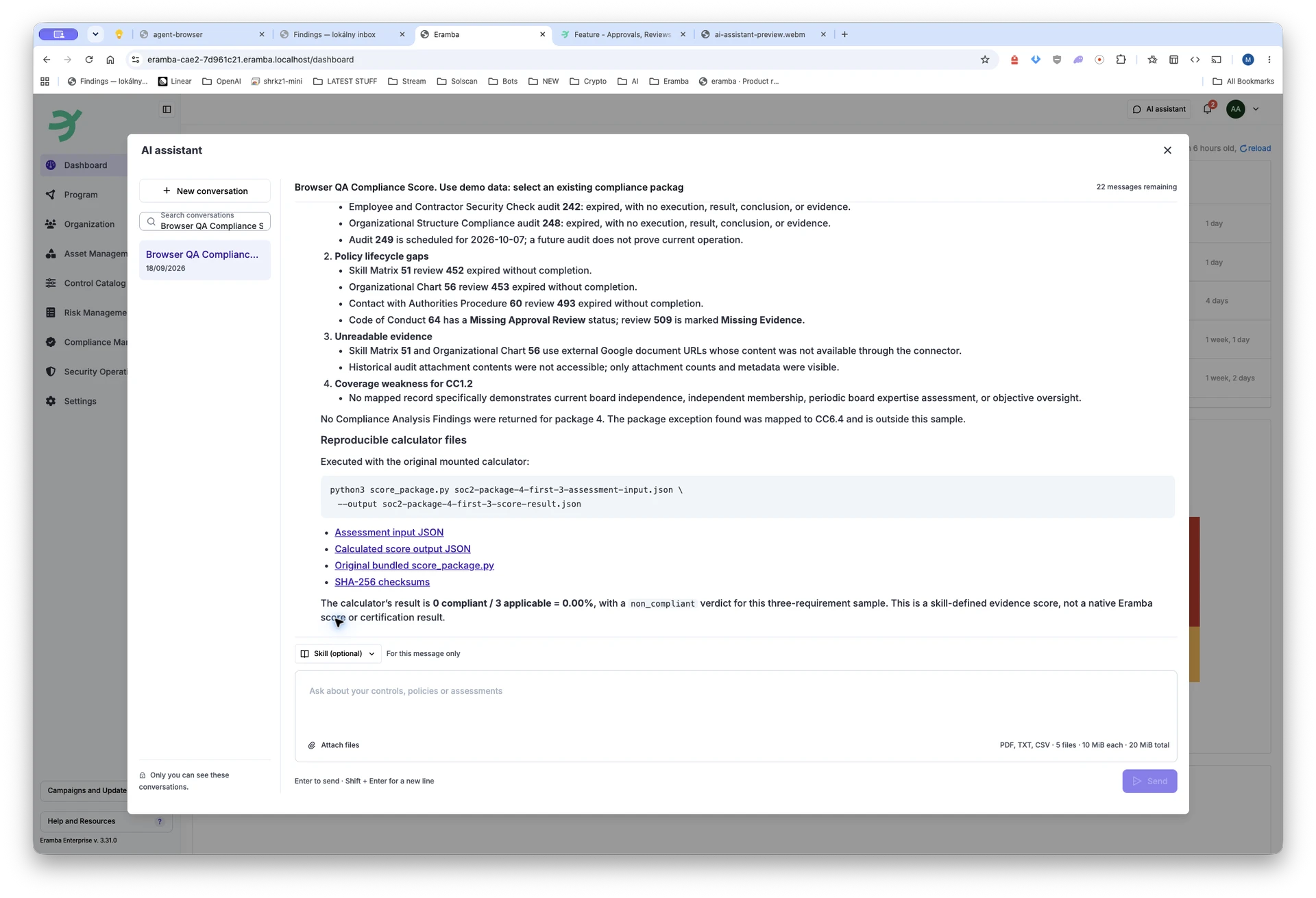
Uploaded documents and generated reports belong to the user’s private conversation. Conversation history remains available after the panel is closed and reopened.
Repeatable GRC workflows with Skills
For tasks that need more than a one-line prompt, the user can select a Skill for that message. A Skill gives the assistant a repeatable GRC method while the actual eramba data access still goes through the same permission-aware tools.
We are currently testing workflows for mapping controls and policies to requirements, calculating compliance scores, reviewing online assessments, preparing compliance-package imports and drafting control-automation scripts.
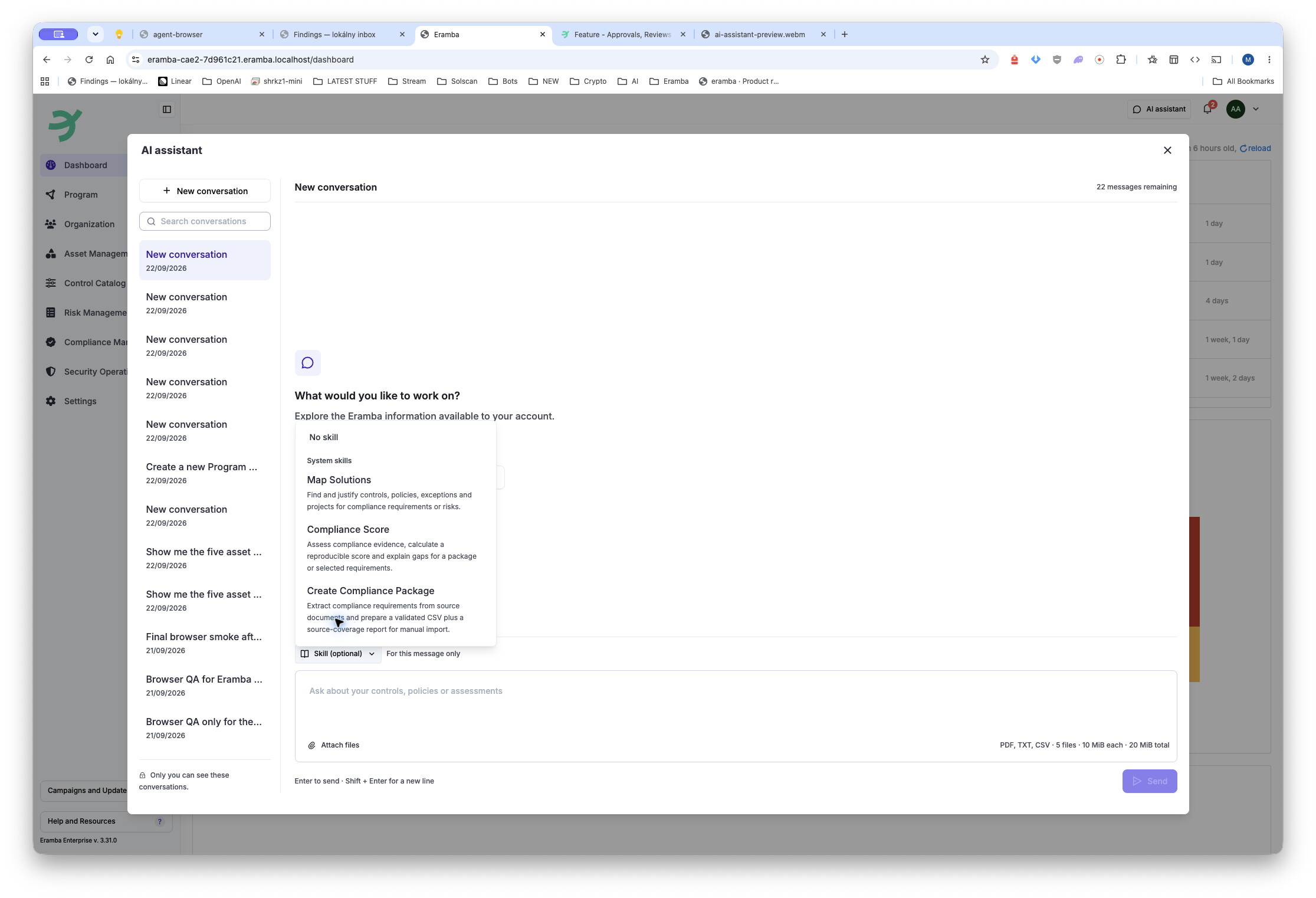
Administrators can also add simple instruction-based Skills for workflows specific to their organisation. These are shared across the eramba instance.