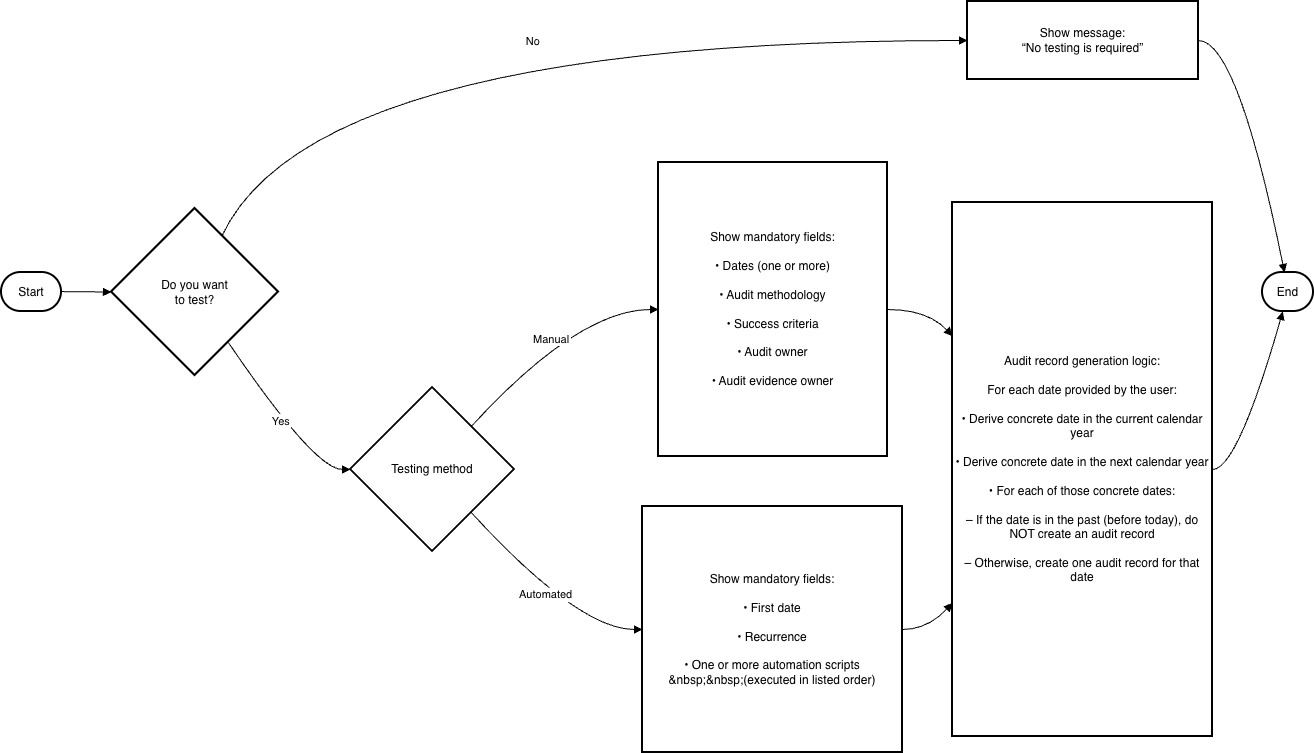
The Audit/Maintenance tab will be the only form that will be directly affected by “Automation”. The logic for these forms is:
Forms, Status, Notifications
- Internal Controls: https://docs.google.com/spreadsheets/d/15xc8LxZcrqdnTQVX7VJ0xt0OGvxyjeURLbhmvfHO12Y/edit?gid=1168875996#gid=1168875996 (internal, not public)
- Continuity Plans: https://docs.google.com/spreadsheets/d/15xc8LxZcrqdnTQVX7VJ0xt0OGvxyjeURLbhmvfHO12Y/edit?gid=367493244#gid=367493244 (internal, not public)
- Goals: https://docs.google.com/spreadsheets/d/15xc8LxZcrqdnTQVX7VJ0xt0OGvxyjeURLbhmvfHO12Y/edit?gid=1042472489#gid=1042472489
Generic Audit/Maintenance Date Logic:
You need to know what records (audits, maintenances, etc) eramba will create depending on the dates the user defines. An audit record has the following settings:
- Planned Date
- Audit Methodology
- Audit Criteria
- Audit Owner
- Audit Evidence Owner
The logic on how you know what audit records you create is the following when you create a NEW control:
- You always create audit records for the current and next calendar year, but:
- You do not create audit records that have dates in the past. For example, if you audit “4/5 and 12/12” and today is 26/11 … you have two create audit records for 12/12/2025 , 4/5/2026 and 12/12/2026.
The logic is a little different when you EDIT an existing control that already has defined audits, imagine the audit settings are currently “4/5 and 12/12”, and you have created audit records for the dates: 12/12/2025, 4/5/2026 and 12/12/2026.
- If you delete 4/5, then you need to DELETE audit records 4/5/2026 (only if it is incomplete). You need a warning message with the “deleted” affected date tags
- If you add a new date, say “6/7”, then you create audits as per the logic described for NEW control, an audit record for 6/7/26 (you do not create an audit record for 6/7/2025 because today is 26/11/2025). You need a warning message with the “Deleted” affected date tags
- Very important, the user might add new dates or keep the same dates or delete datas, but change any other fields (methodology, audit criteria, audit owner, audit evidence owner) … in this case you need to update all existing audit records (except those with planned dates in the past from today) with the new information. We need a warning message with the “edited” affected date tags

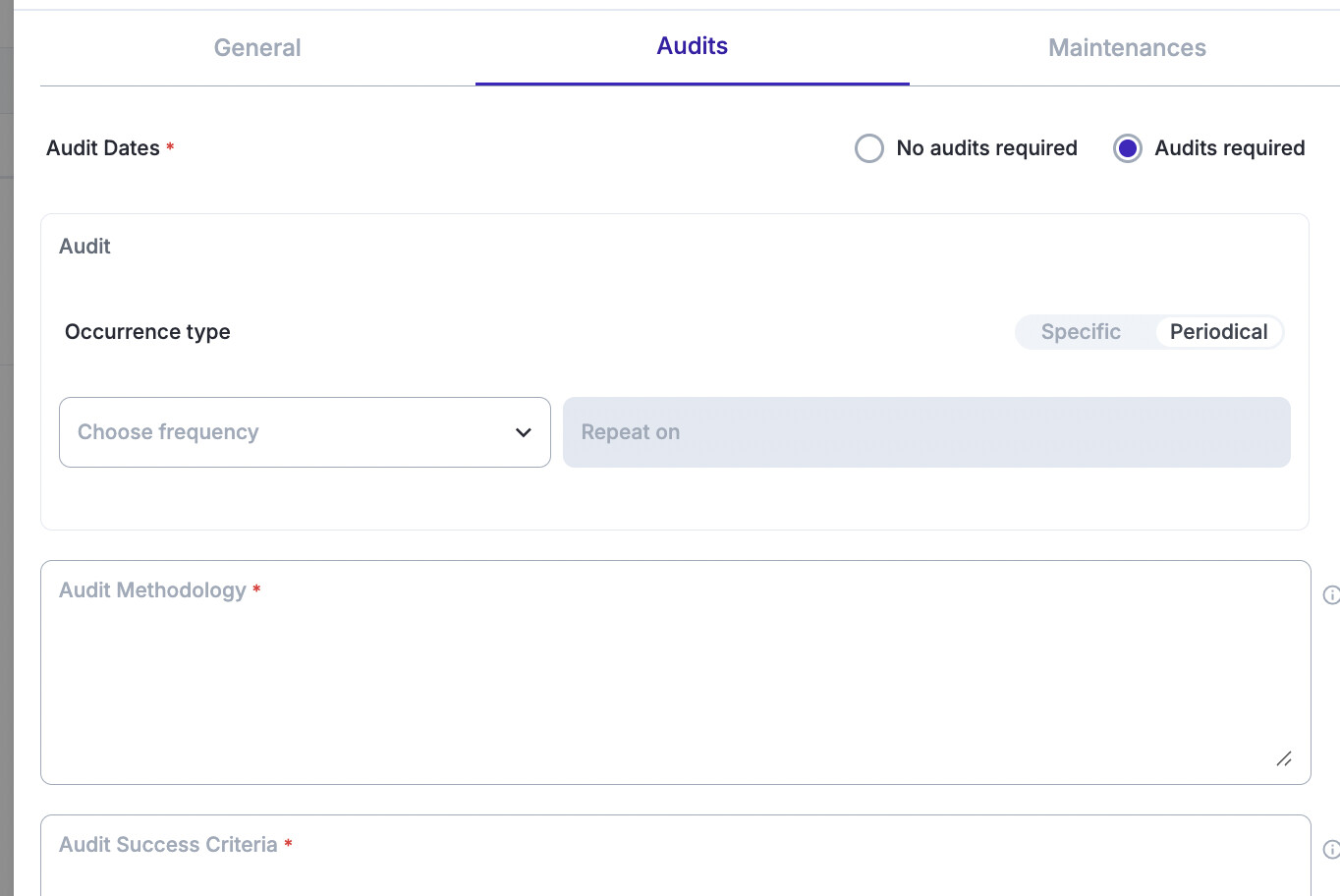
Date Picker - Periodic Dates:
- The user first defines the “First audit Date” (Day and Month only, not year. This date can be in the past and future)
- Only then the user can choose a Period (not frequency) which can be: Weekly, Monthly, Quarterly, Semester, Yearly, Biennial.
- You will create audit records tags and show them using the blue notice message. The blue notice box shows a text “After saving, eramba will automatically create the following audit records. You can change these settings anytime”.
Date Picker - Specific Dates:
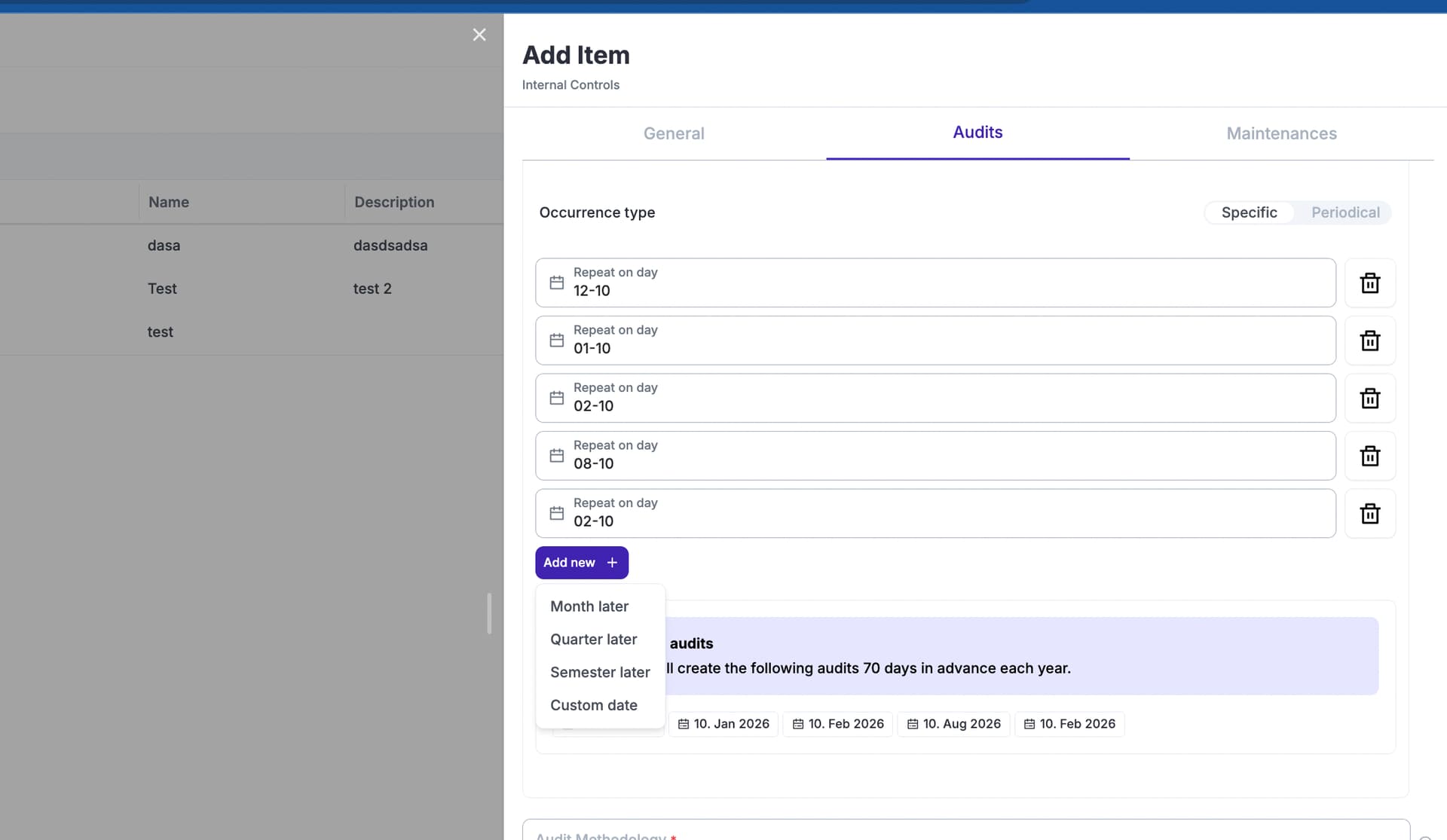
- The user selects an initial date (Day and Month only, not year. This date can be in the past and future)
- The user can select more dates, options being: Week later, Month Later, Quarter Later, Semester Later or Custom. If the user selects week, month, etc you calculate the date from the last defined date.
WARNING: If the last selected date plus the period (Week, month, etc) exceeds 31st December, you show a red warning: “Remember you are defining dates for any given calendar year, we can not calculate dates past December 31st. Remove and adjust dates as needed”.
- When the user add dates, you show what audit dates will be created using tags. The blue notice box shows a text “After saving, eramba will automatically create the following audit records, for this and next calendar year. You can change these settings anytime”.
NOTE: dates can be deleted.
Audit and Maintenance Items
When we create audit and maintenance records, we need to handle fields a little different from what we have today. When EDITING:
- Not shown anymore: audit methodology, success criteria, planned date, audit owner, evidence owner
- Mandatory fields: result, conclusion, start (any date, past, present and future) and end date (any date, past, present and future)
When ADDING an item or maintenance record using the top right corner “Add”:
- After you select an internal control, the logic is the same as above
Once a record has been edited IT CAN NOT LONGER BE EDITED, so we need to remove the edit button.
Audit_Maintenance Logic.drawio (22.6 KB)
Audit_Maintenance Logic.drawio (22.6 KB)