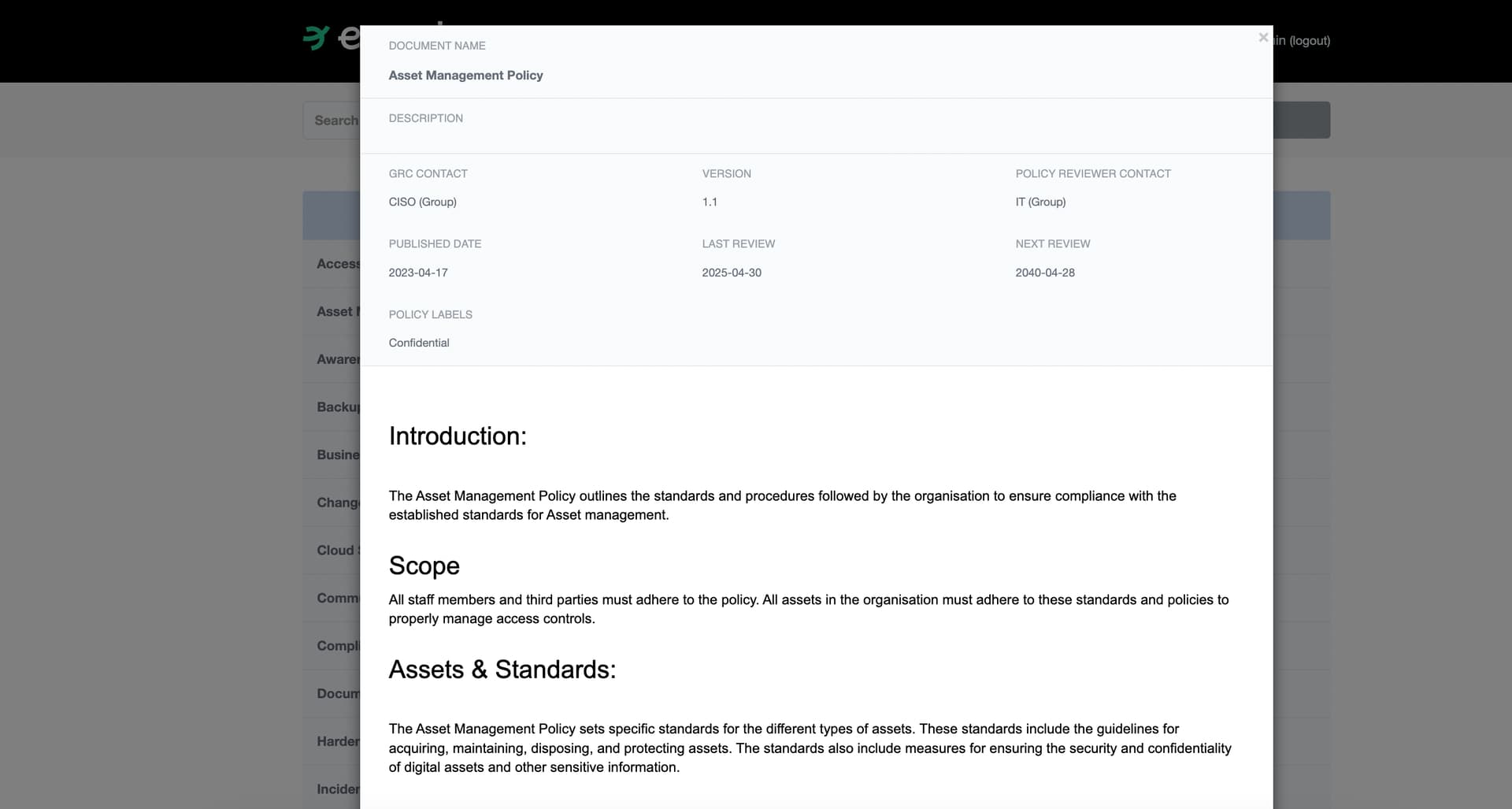
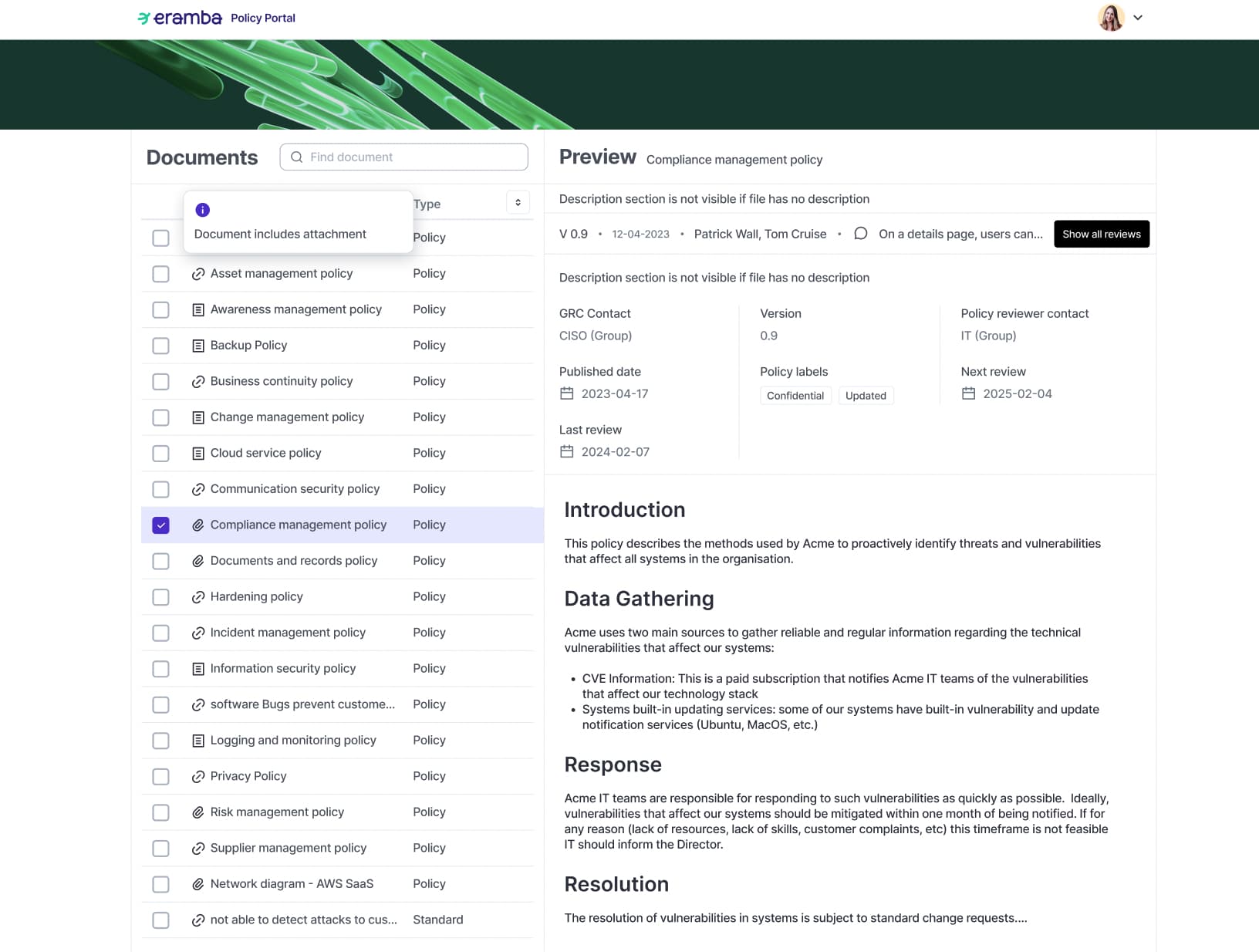
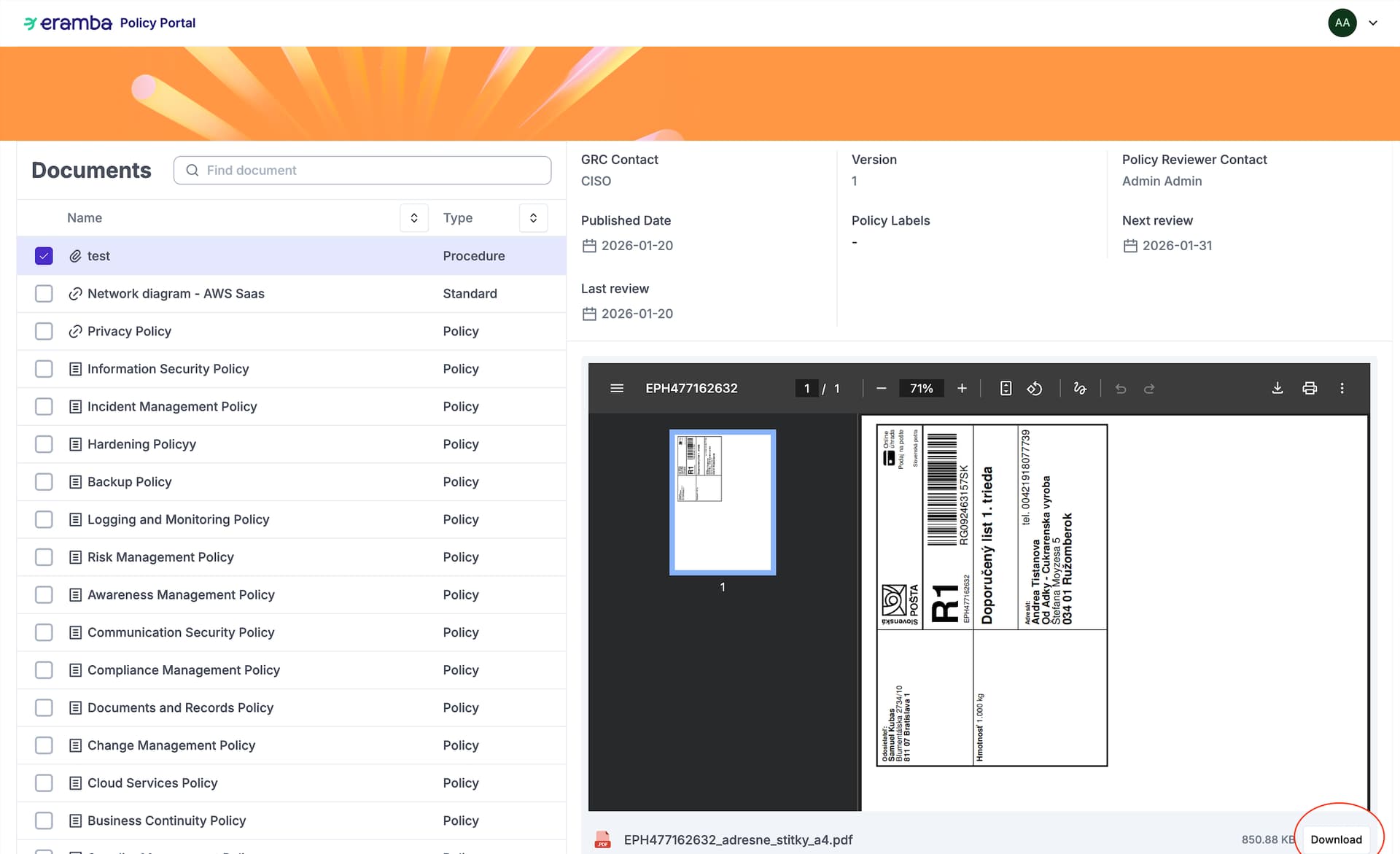
The new portal looks nicer and is also able to read automatically attachments such as pdfs and images (not other formats as its pretty complicated with open-source libraries).
Overall I want to say that I am very happy with update 28.0. It adds many features we have needed for some time. These improvements will make a lot of things much easier. My compliments to the team!
I have a small question about the new policy portal. We are unable to read PDF’s in our Policy Portal; nothing appears when there is an attachment added. Is this expected behavior? There is also no button in the Policy Portal to download the PDF or to navigate to the URL (which is present on the normal Policy page). I assumed the “Download PDF” button would download the attached PDF, instead it generates a report of the policy item.
See screenshot below. All the attachments we use for items are PDF. Already cleared the Eramba and browser cache, but the PDF’s dont appear like in your screenshot. We use the on-prem version by the way.
Has there been any consideration to offer an option for a view other than “side by side” or to allow the menu of “policies” to be collapsible or adjustable through a slide to make the list of policies less wide?
When viewing policy documents as rendered PDF, there are too small on most screens (tested on both a 13 inch laptop and 27 inch monitor) to be readable by staff. So it reduces the overall value/effectivness of viewing the content. Chromium browsers appear to render the PDF with the full “page preview” as well so it’s even smaller.
Alternatively, when you click a policy, collapse the menu of policies so it shows the fully rendered policy information, then offer a “back” button or some option to re-open the menu so you can zoom into the policy you’re currently reading/reviewing.
Well done for the new policy portal, much cleaner and usable. One question about the tags. In the old policy portal, one could filter quickly on specific areas on interest by clicking on the tag. Is that possible now?
We had the same problem, indeed had an issue within the firewall, but the PDF preview pane still did not appear. However, the issue vanished after upgrading to Eramba Enterprise v. 3.28.3 and we are now very happy with the PDF previews
Not right now, but we want to bring it back a bit differently by making the tags searchable in the search bar. This is already documented in our backlog, although it’s low priority.
Please note that the new policy portal (I’m on v. 3.29.0) is not usable on mobile. The old version of policy portal allowed searching and downloading of policy attachments. In the new version, it’s really difficult to search for a policy, the list of policies on the left hand side are not visible due to the split screen layout, and it’s really cumbersome. Usability improves only very slightly when rotating mobile screen to landscape, however it’s still far from ideal. I suggest having a mobile friendly view where one would focus on the list of policies, then allowing viewing the policy meta data and downloading of attachments.
Thanks for the feedback. I agree the responsiveness for mobile is not good, and it can be handy to read documents from the mobile. I’ve created an issue and we’ll check to improve it.