With version 3.30 it comes the EOL of the eramba source code version. The only supported version moving forward will be docker.
This guide follow the steps to migrate from a source code install to docker
Step 1: Install eramba docker
Before installing eramba docker, it’s important to understand that in order to perform the migration, it has to be done with instances on the same version number. This means that if your source code installation is on version 3.29.1, you should have the same version number on eramba docker.
To install the eramba docker version you have two options:
Docker:
When you reach the step “Install - Enterprise” you can download the matching enterprise docker image of your source code from the downloads portal
VMWare:
VMware install is an Ubuntu 24 virtual machine with Docker and the eramba image downloaded.
The downloaded image gets updated regularly, so if at the time of migration the image there is a version that is not supported by the source code install you can download previous images from the downloads portal.
You’ll have to follow one of the previous guides to install eramba Docker.
Once you’re done, make sure that the installation is all good by checking Settings > System & Maintenance > System Health. Don’t worry about the licence; that will be added later.
Step 2: Migrate database and files
To migrate the files and database, we can follow the same approach as in the migrating server guide.
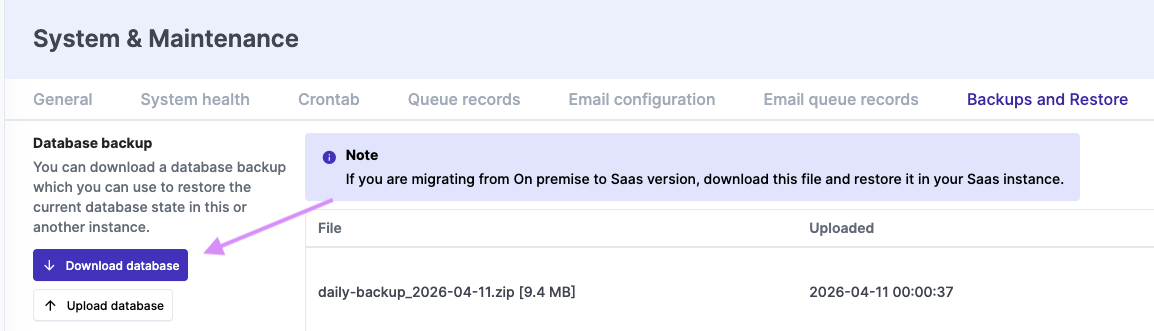
- Export your backups from the source code install
(Settings>System & Maintenance>Backups and Restore)

-
Import the backups on your eramba docker install
(Settings>System & Maintenance>Backups and Restore)-
Upload database backup and run the restore (Wait for restoration before moving to the next step.)
-
Once the database backup is completed upload file backups and run the restore.
-
-
Reset the application ID on the docker install
(System & Maintenance > Reset) -
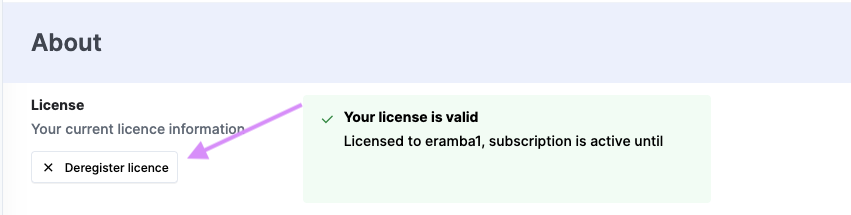
If you are using Enterprise go to the source code install and deactivate the license
(Settings > About) -
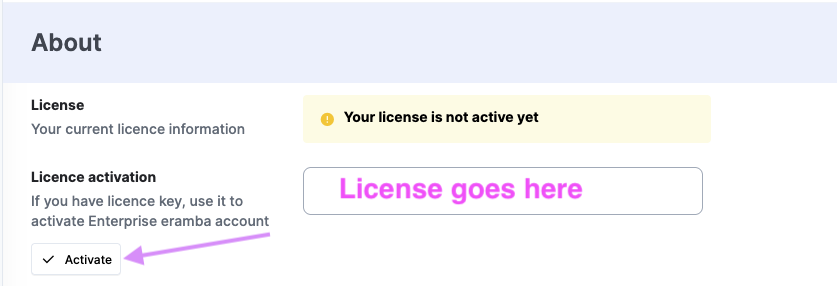
Activate the license on the docker install