I am not sure if I misunderstood something or where my error lies but here is what I did and the outcome.
I went to “Control Catalogue => Policies section” section, chose the “All items” view, modified it as desired, saved it with myself and my colleague as having “edit” rights and everyone else “read” rights.
I also set this new view as default for everyone. All good so far.
Today I get a call, someone can’t find a policy, later on, another call asking if I had modified the view to only show drafts.
I had indeed. But I didn’t save the view. I went to “Control Catalogue => Policies section” section, clicked on filter and selected “status include: draft” because I was looking for a draft. I then closed my browser tab, since my work with eramba was done.
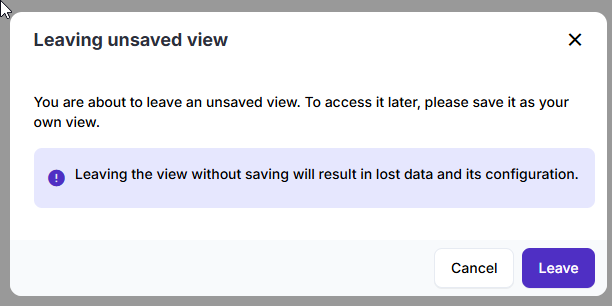
I didn’t save or anything as there is no save button anyway. This is really weird, since if I go to other dynamic views, when navigating away, I get pop-ups like this one:
So now I am wondering why the filter for “draft” gets immediately saved 