Current state
Today, the Landing Dashboard works on the same principles as report templates - you can build your own template, place charts, tables, task widgets etc. on them, and decide which one is shown after login.
The limitation is that only one Landing Dashboard template can be active at a time, and it is shown to every user the same way. A GRC manager, a risk owner, an internal auditor and an asset owner all land on the same screen, even if the information each of them actually needs is completely different. The only workaround today is to build one “compromise” dashboard.
This has been a recurring request on the forum (see for example this thread or this thread).
New approach
Dashboards (the “reports” you build today under Settings / Application Configuration / Appearance) are unchanged - you build them the same way, with the same widgets, charts and task widget. Nothing about creating a dashboard changes.
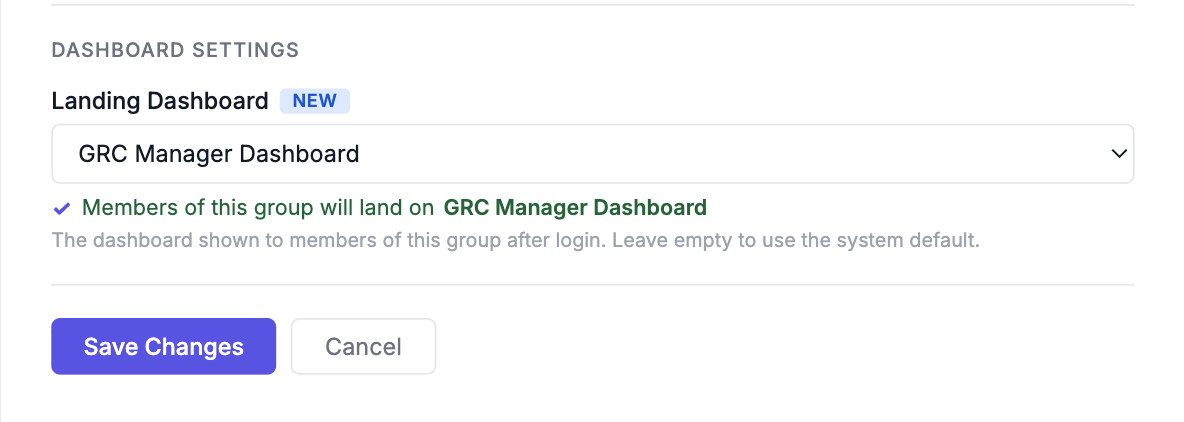
What changes is how a dashboard is assigned to people. Instead of one global Landing Dashboard, the assignment moves onto the group itself: each group has a “Landing dashboard” setting that points to one of the existing dashboards. A user lands on the dashboard assigned to their group.
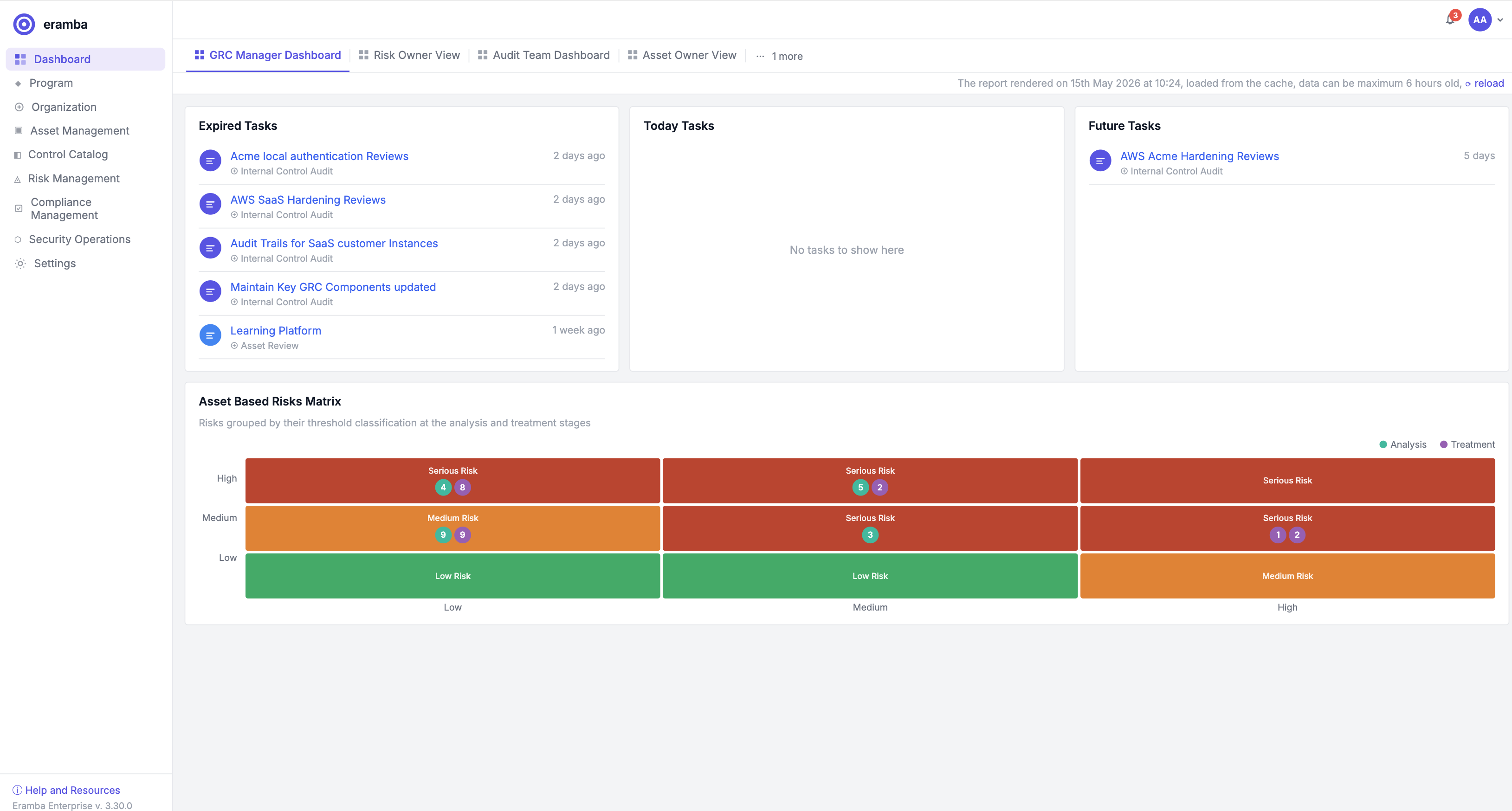
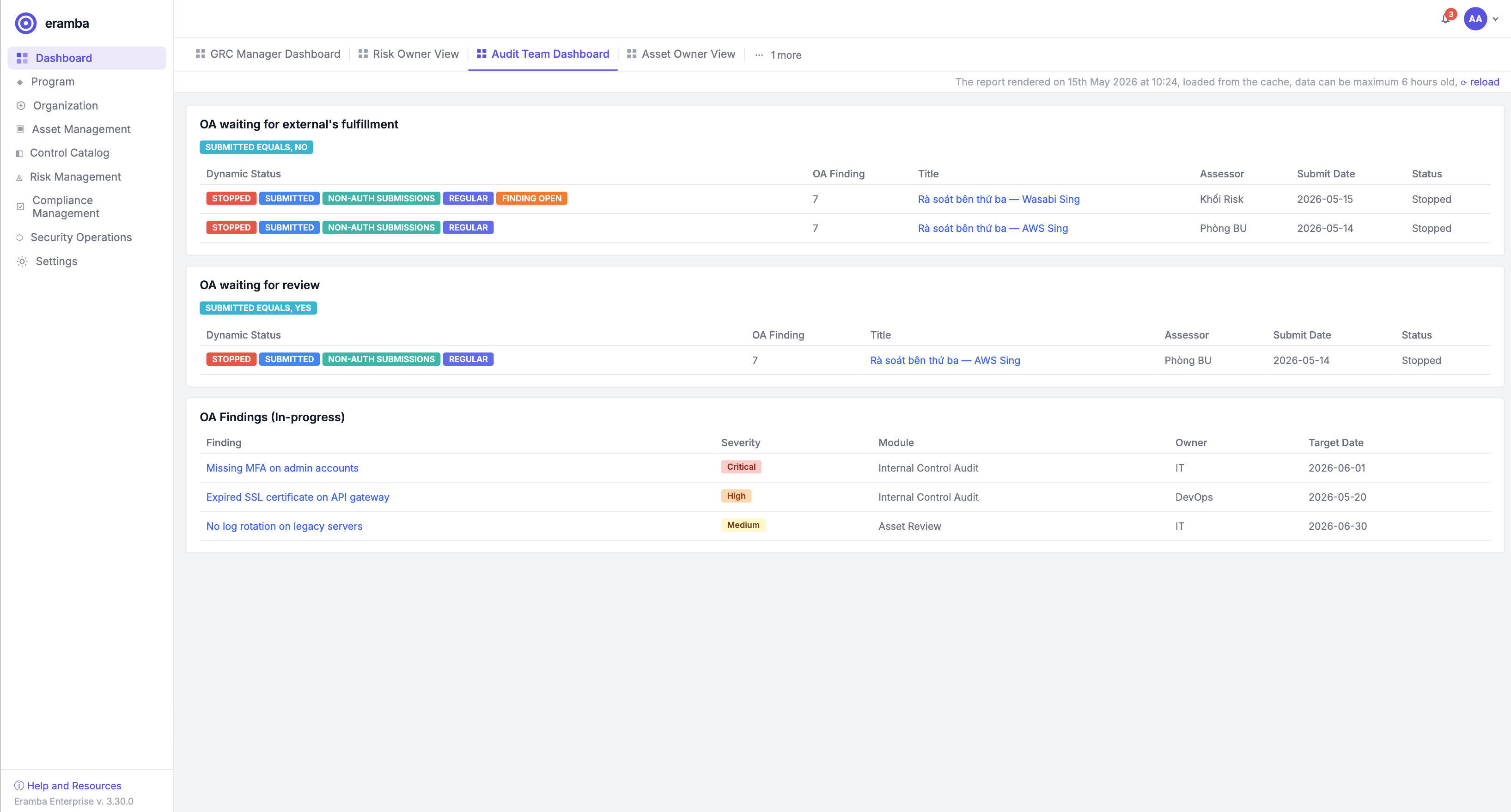
On top of that, when a user has more than one assigned dashboard (because they belong to several groups), they see a bar of dashboard tabs at the top of the landing page, exactly the same UX as the view bar on any module index (Policies, Risks, Controls, etc.). They can switch between them freely.
Definitions
- Dashboard: the existing object - a layout of widgets and charts, built under Settings / Application Configuration / Appearance. No change from today.
- Landing dashboard: the dashboard shown to the user immediately after login. Each user has exactly one landing dashboard at any time, resolved from the priority rules below.
Group form (changes)
A new field is added to the group form:
- Landing dashboard: dropdown of all dashboards available in the system. Optional - if left empty, members of this group fall back to the system default.
That is the only place where the assignment is configured. There is no audience or access list on the dashboard itself - the assignment lives on the group, the same way other group settings (permissions, ACLs) already do.
Settings / Application Configuration (changes)
A single new setting is added next to the existing dashboard configuration:
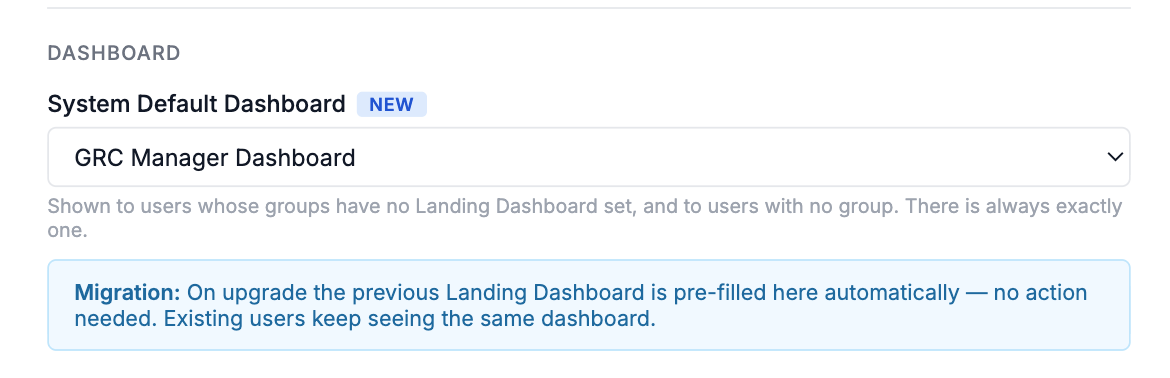
- System default dashboard: the dashboard shown to users whose groups do not have a “Landing dashboard” set, and to users with no groups. There is always exactly one. On upgrade this is pre-filled with whatever was selected as the Landing Dashboard today (see Migration).
Landing page (user side)
After login, the user sees the landing page exactly as today, but with one addition: a horizontal bar of dashboard tabs at the top, working the same way as the view bar on module indexes.
- Tabs show all dashboards assigned to any of the user’s groups, plus the system default if the user has access to it.
- One tab is highlighted - this is the landing dashboard for this user (see next section).
- Clicking another tab switches the dashboard live, no page reload required (same behaviour as switching views on a module index).
- Switching tabs is not remembered between sessions - on the next login the landing dashboard is resolved again from the priority rules below. The only way to make a tab “stick” is “Set as my default”.
- A user with only one dashboard assigned sees just one tab. So for customers who don’t use this feature, nothing visibly changes.
Which dashboard loads first
A user can belong to multiple groups, so we need a clear priority. From highest to lowest:
- User’s personal default - the user clicked “Set as my default” on one of the dashboard tabs. A user can have at most one personal default at a time.
- Group default - the “Landing dashboard” set on one of the user’s groups. If the user is in multiple groups with different dashboards set, we pick the group with the alphabetically-first name. (See note below on group ordering.)
- System default - the dashboard configured in Settings / Application Configuration. There is always exactly one.
This way a customer who does nothing keeps the current behaviour (one dashboard, everyone sees it), a customer who wants per-group dashboards only has to set the “Landing dashboard” field on each group, and individual users can always override for themselves.
Note on group ordering: today groups in eramba don’t have an explicit order, so alphabetical is the simplest tie-breaker we can ship with. In the future we may want to introduce explicit group ordering (drag-and-drop priority in the groups index), which would then be reused here. Out of scope for this feature but worth flagging.
Setting a personal default
On the landing page, next to each dashboard tab, the three-dot menu has a “Set as my default” option. The current personal default is shown with a pin icon on the tab. Choosing “Set as my default” on another tab moves the pin - a user can have at most one personal default. “Clear my default” reverts the user to the group/system default.
Permissions
- Building and managing dashboards is controlled by the existing ACL on dashboards/reports - same as today.
- Setting the “Landing dashboard” on a group is part of the group form and is controlled by the existing ACL on groups - same person who manages the group already manages this.
- Setting a personal default is available to every user, no ACL needed.
Questions / open points
- Should the task widget on the dashboard always show the same tasks regardless of which dashboard view is active, or should each template’s task widget filter independently? Today the task widget is per template, so we keep that - no change.
Migration
On upgrade:
- Whatever dashboard is currently configured as the Landing Dashboard becomes the System default dashboard.
- The “Landing dashboard” field on every group is left empty.
- No dashboards are created, deleted or modified.
End result: every user keeps seeing exactly the dashboard they saw before the upgrade. Customers who want to start splitting by group can then set the “Landing dashboard” field on individual groups at their own pace.
Not implementing
- Per-user dashboard building (every user editing their own widget layout). Dashboards stay admin-built, this feature is only about which dashboard a user gets, not about end users designing dashboards.
- Per-user dashboard assignment from the admin side. If an admin needs to force a specific dashboard on a specific user, they can put that user in a group of one. Keeps the model simpler.
- Custom widgets / custom data sources. Same answer as today - charts are hardcoded, BI tool is the recommended path for fully custom visualisations.
- Explicit group ordering as a tie-breaker for “Group default” resolution - alphabetical for now, see note above.
- Sharing dashboards with users outside the eramba account.
UI
Dashboard view
Group setting
Default dashboard setting on dashboard setting