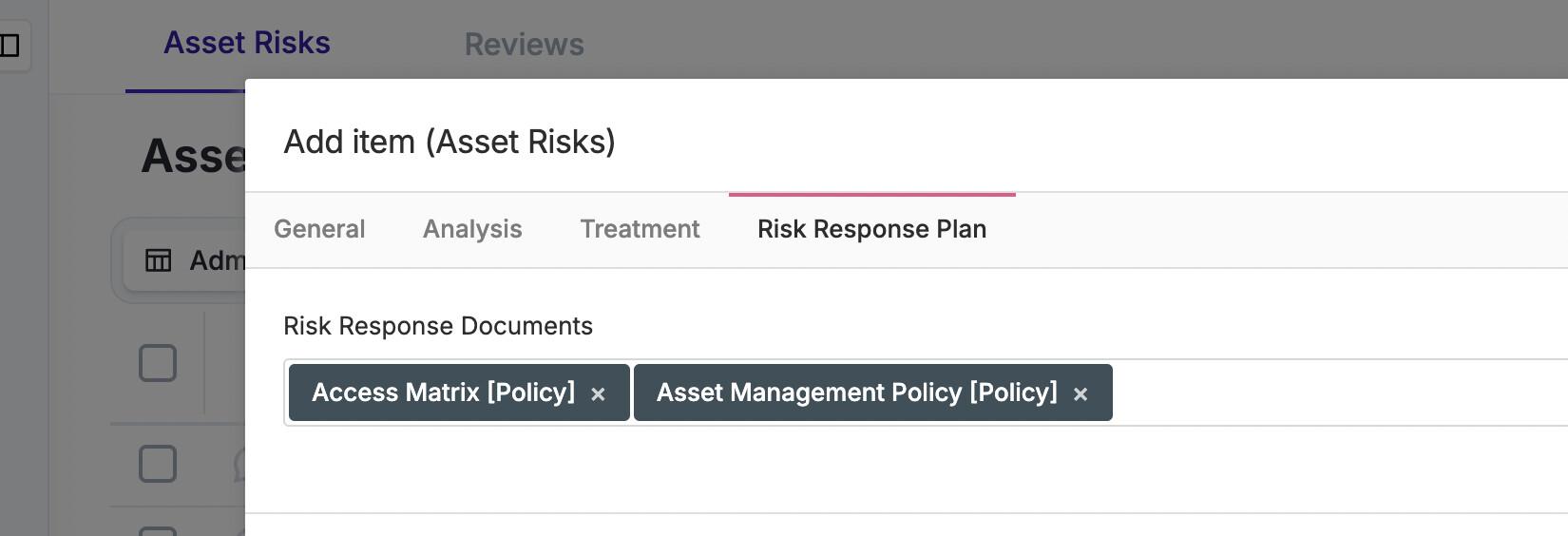
- Today users can optionally associate one or more (this needs to be limited to one, not multiple) Risk Response Plans to a Risk when creating or editing it.
- In the policy module we need one more “Default” “Type” called “Incident Playbook”
- These plans define the actions to be taken if that Risk materializes. In Eramba, Risk Response Plans are already described as guidance linked from Risks into the Incident module.
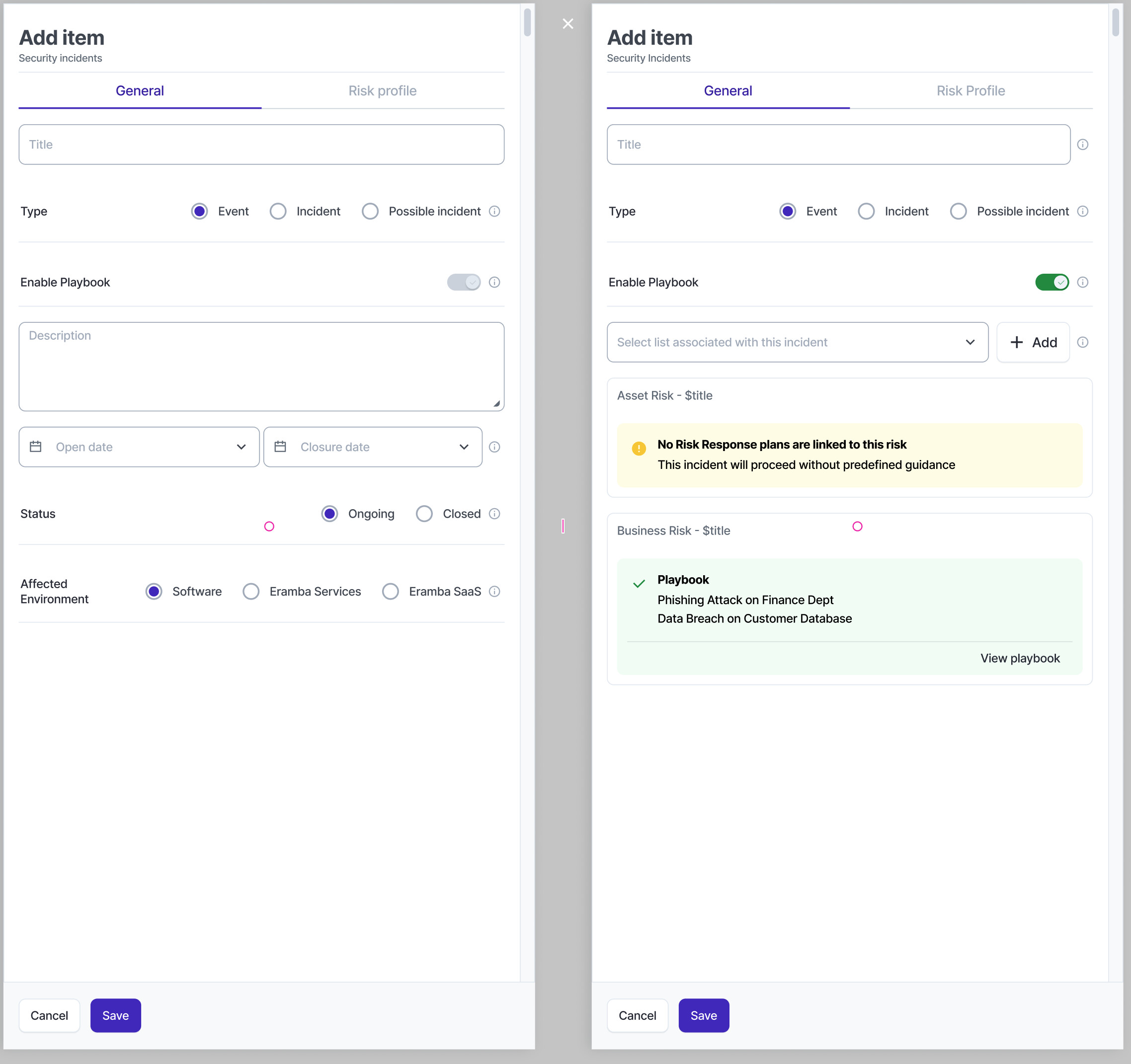
- On the incident module, “Playbooks” is a setting that can be enabled or disabled on the form (by default enabled)
- If enabled:
- When the user clicks “Add” new Incident, the user is prompted to select (one or more) Risk(s) related to that Incident. The search includes all three risk modules , the list of risk shows the tile of the risk with a pre-append from which risk module belongs to, for example: (Asset Risk|Third Party Risk|Business Risk) - $title
- Once a Risk is selected:
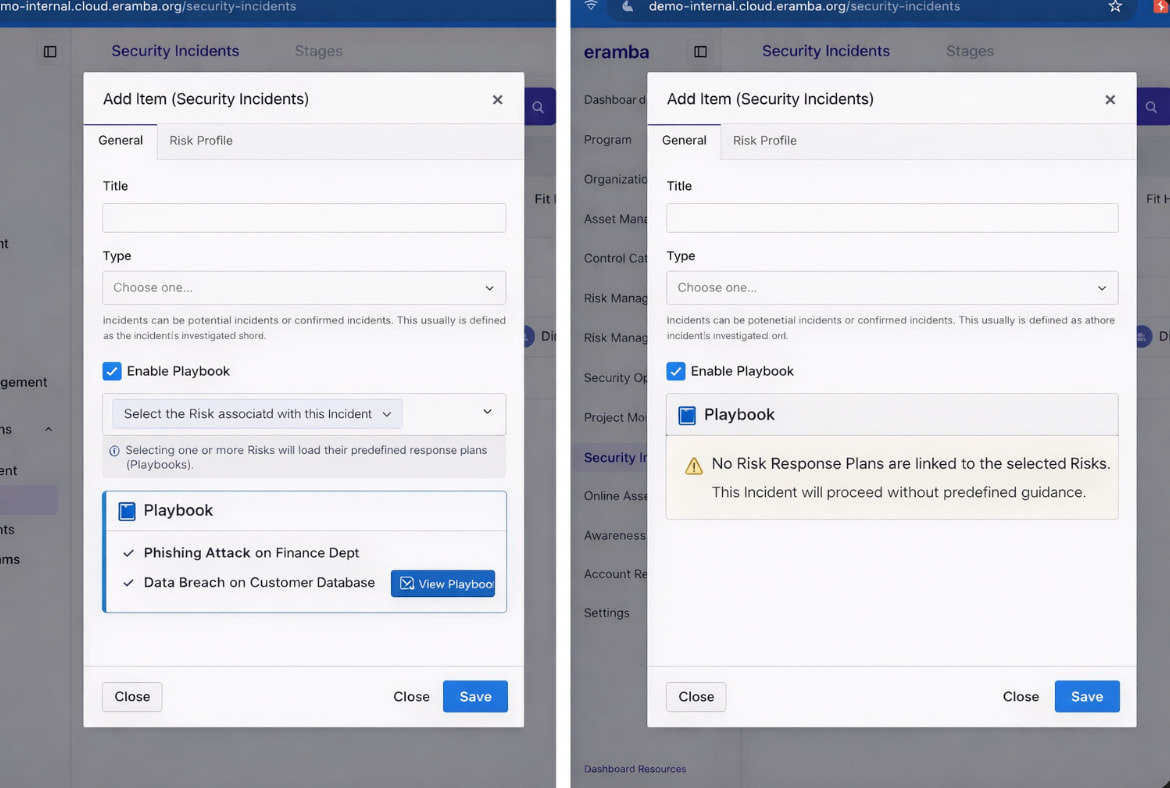
- if the risk has an associated “Risk Response Plans” we offer the user to “View” it (this re-uses the Policy module “View” modal) Eramba displays the Risk Response Plan(s) linked to that Risk as the Incident playbook.
- if the Risk has no “Risk Response Plan” then we show a message that there is no Playbook for this risk defined
- If disabled:
- We show the incident form as usual, nothing else
- We show the incident form as usual, nothing else
We also need:
- A column on the Views we defined for this module including the “Incident Playbook”
- A dynamic status that triggers in the incident module “Playbook Available”
- On the risk module we need to rename the existing status to “Ongoing Incident” and add a new one that is called “Past Incidents” that triggers when a risk has a related incident but the incident is “Closed”
