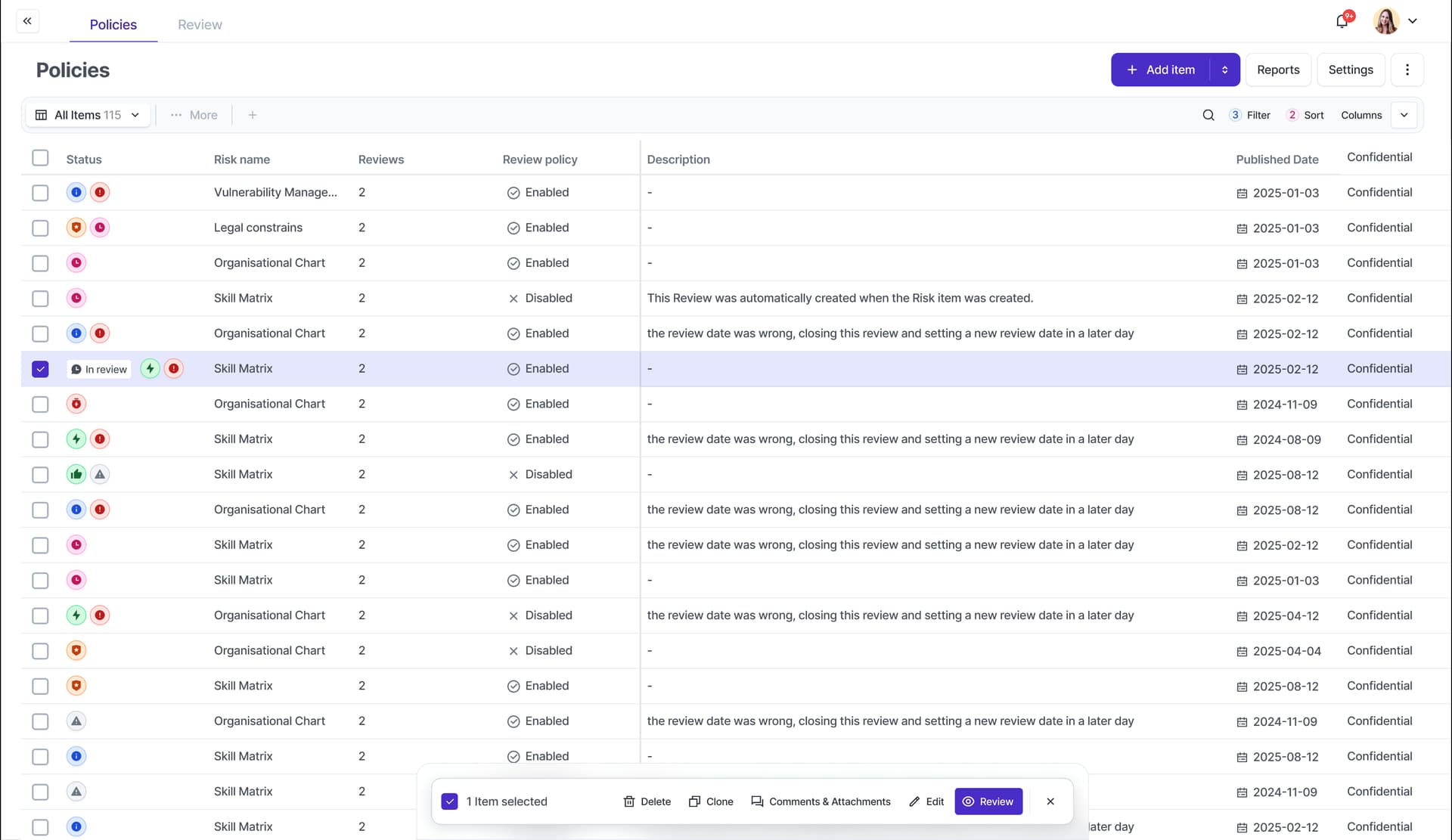
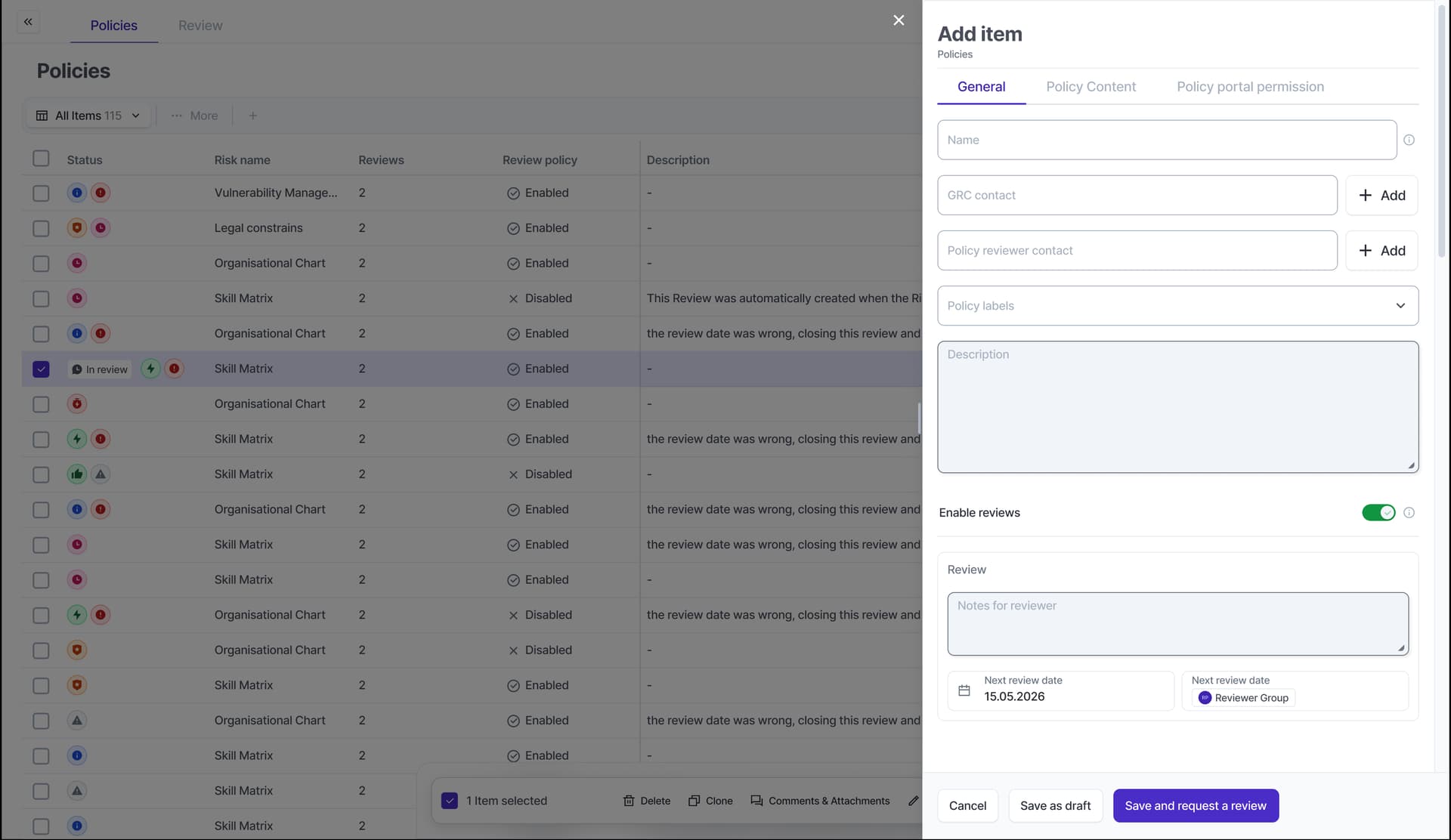
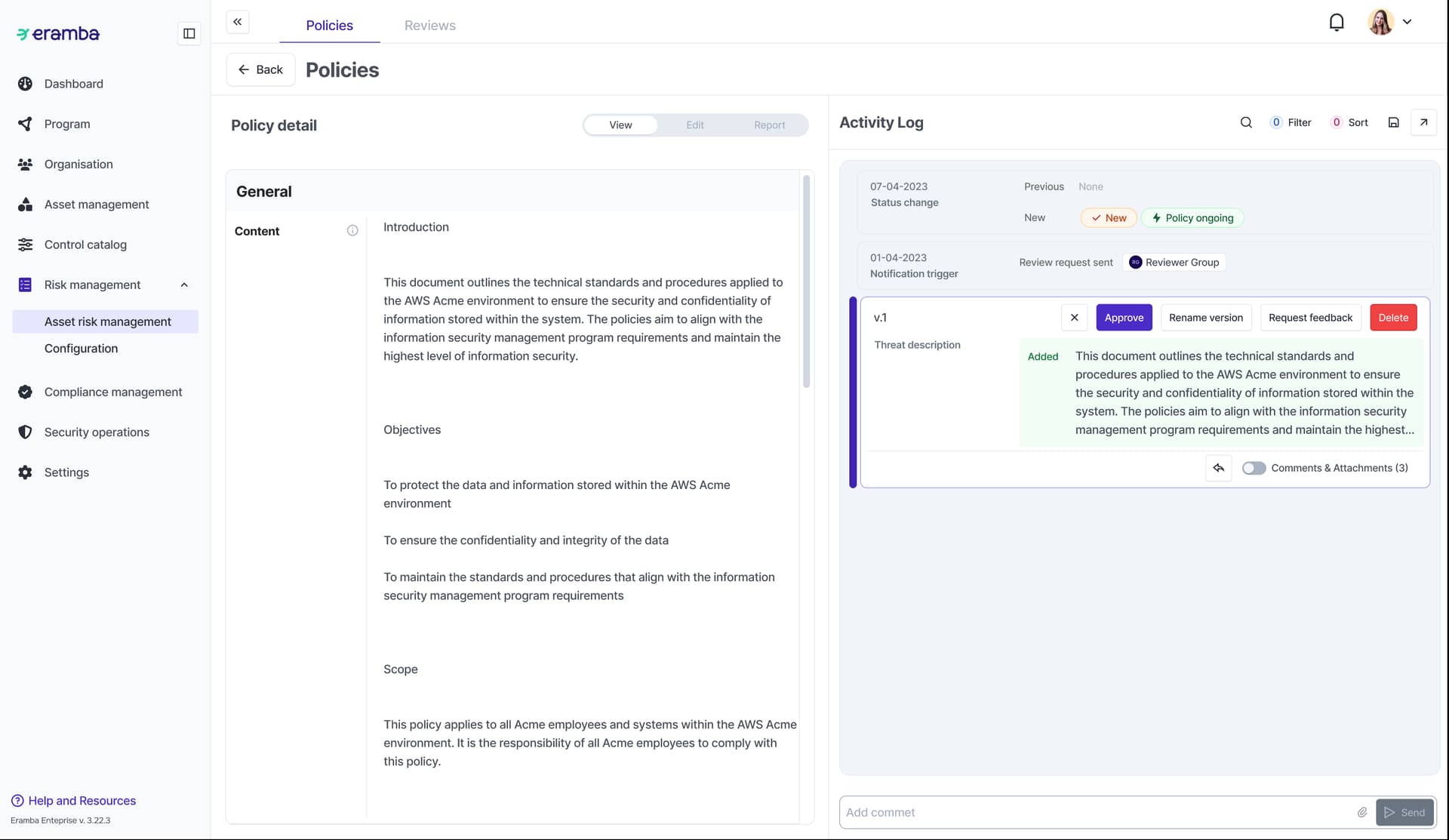
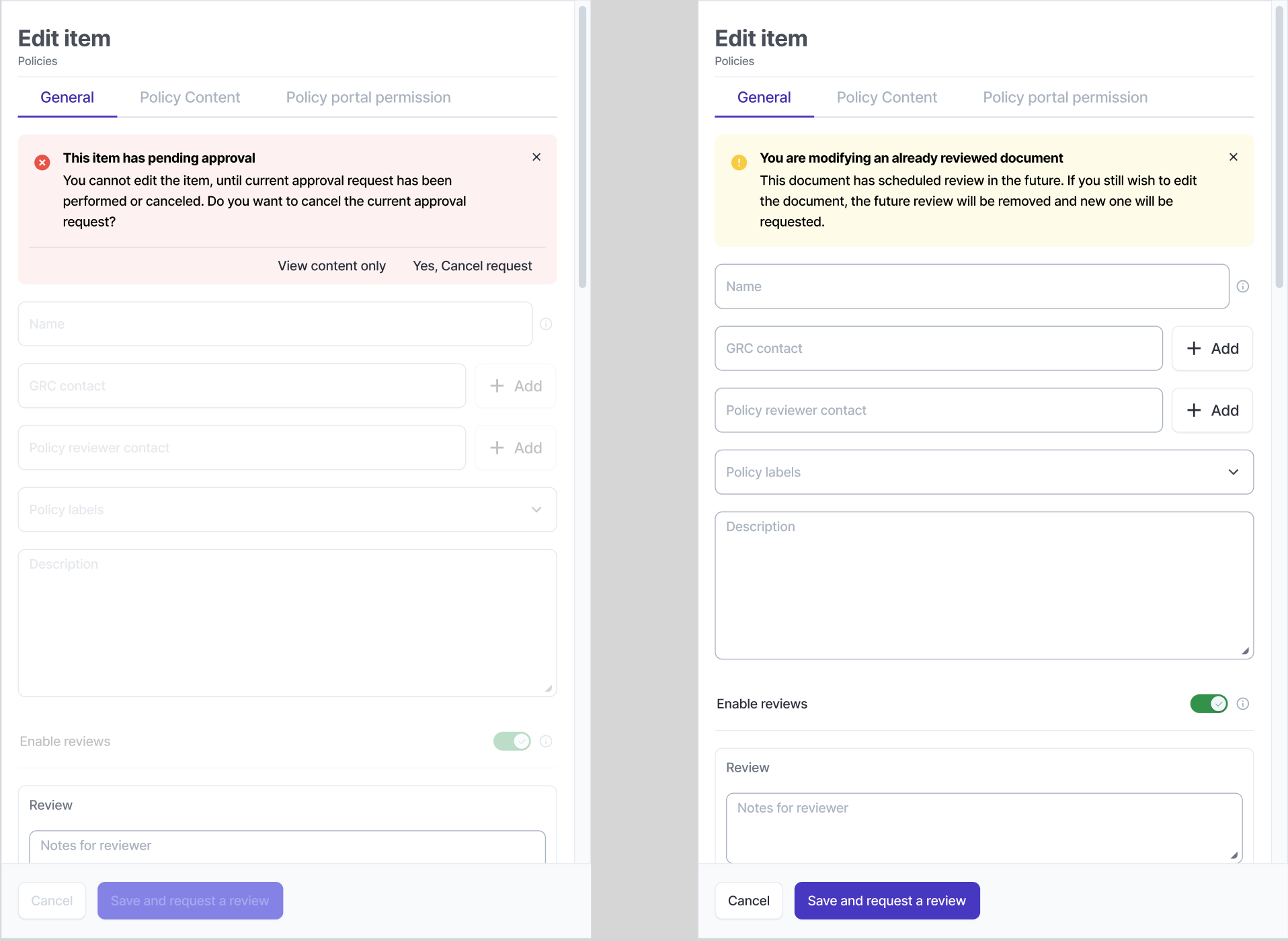
Introduction
We have long wanted to change the policy module, the review process and include a new workflow feature. This feature will in theory cover these three topics at once.
The current review process will change for an approval + review process.
- The “Approval Workflow” will control that any change on the policy or its attributes (title, etc) has to be approved to become “Published”. All new Policies will be on “Draft” by default. Internally we call it Versioning. This feature is very likely to be used on other modules.
- The “Review Workflow”, is simply a reminder to regularly trigger the previously mentioned “Approval Process”.
Approval Workflow (New)
The “Approval Workflow” process will be very simple and can apply to any module when an item is created and edited:
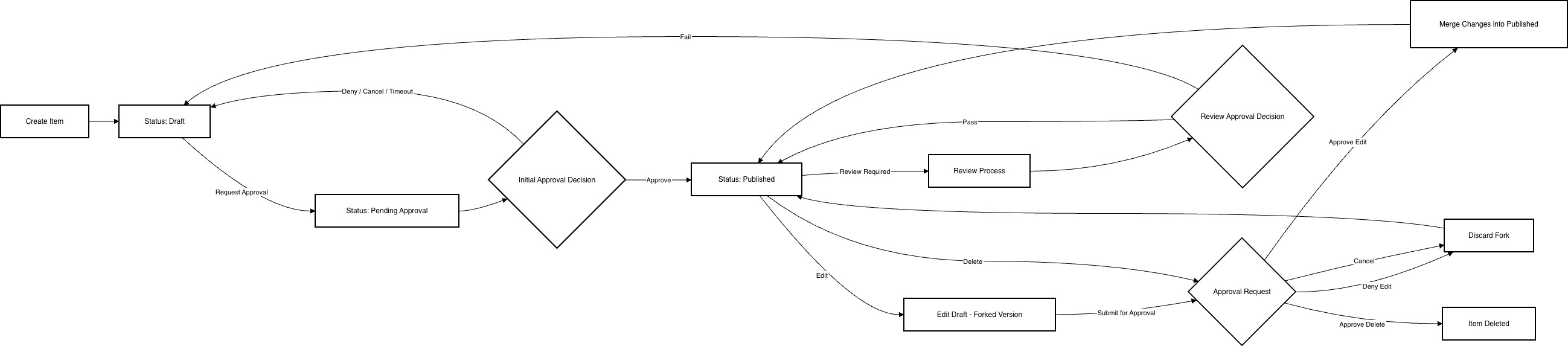
From a “Approval Process” perspective there are three possible status for an item:
- Draft (default)
- Pending Approval
- Approved
Workflows will be enabled on the following modules to start with: All Risk Modules, Assets and Policy, it can easily be expanded to almost any (parent) module in eramba later on.
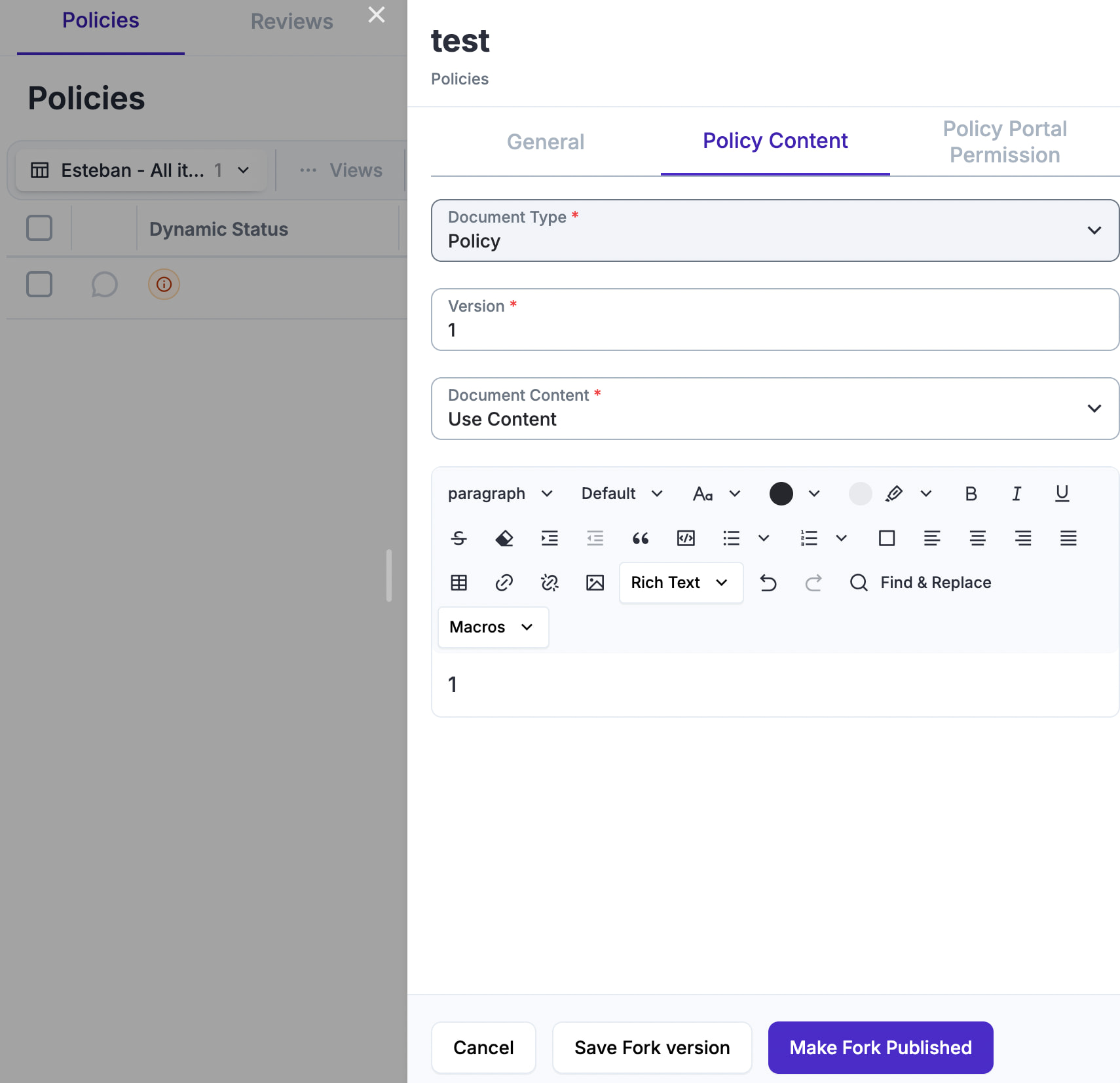
Edit Item Permissions
- An item has “Roles”, in the case of policies there are two: GRC Contact and the Policy Reviewer Contact
- When the item is on C1 or AR1 no-one can edit the item, they can “View” the item and there they have the option to Approve, Deny or Cancel the approval. Who can decide those clicks?
- Approve: is the role defined on settings as “Workflow Approver”
- Deny: same as “Approve”
- Cancel: same as “Approve” plus the person that requested the “Approval Workflow”
- Timeout: this is done by the system
Admin group members can always click anywhere and override anything.
Workflow UX/UI:
- Workflows “Statuses” will have a pre-defined status created to highlight them
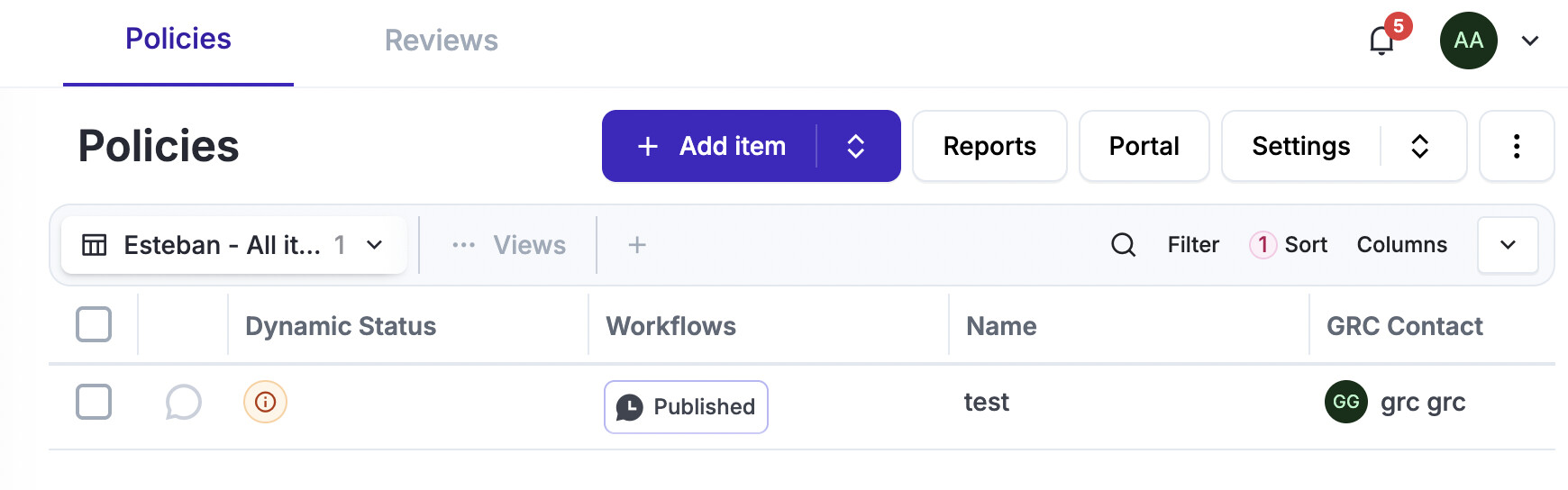
- The entire “Workflow” process will be managed from the “View” button, there won’t be a “Review” tab for “Workflows”
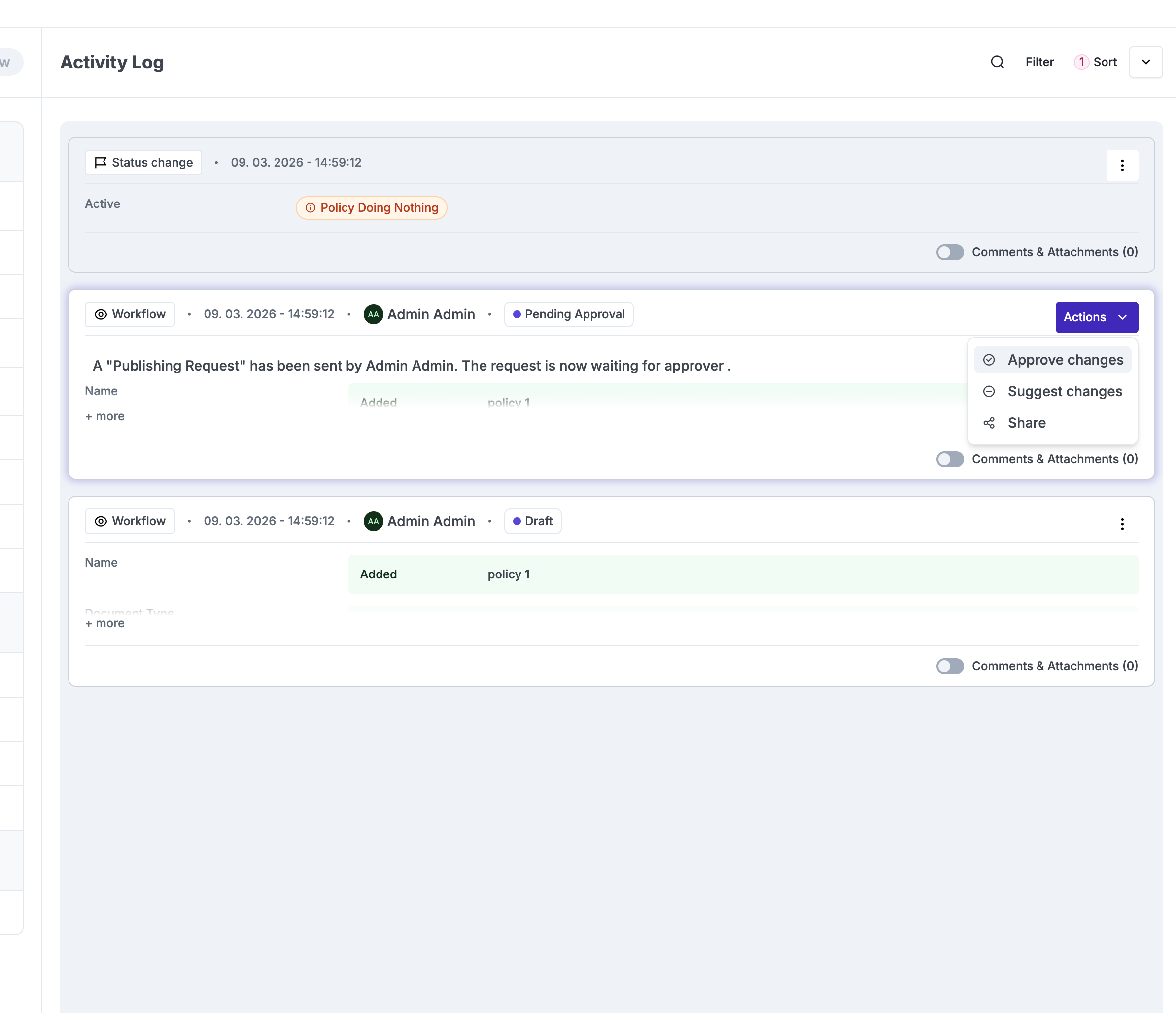
- There are records for every step of the way, these will be shown on the “View” button and when “Exporting” the policy, there will be two options: Policy Alone + OR Policy + Records
- Workflow Notifications will be hard-coded as any other notification and enabled by default when the workflow feature is turned on
Workflow FAQ:
- Does the workflow status affect if the item is visible in other modules? No
- Does the workflow support multiple approvals if the approver is a group? No, a single group member approval is sufficient
- Can the workflow process be override in case the approver is away? Yes, by admin group members for now . (WE MISS UPDATING THE DIAGRAM ABOVE)
Workflow Settings:
We need some basic settings on every module for workflows, the basic settings will be:
- Workflows enabled / disabled: will be disabled for all modules by default except for Risk, Assets and Policies for which will also be disabled.
- If workflows are enabled:
- You must define the workflow approver role (by default is the reviewer)
- The timeout used when no-one approves and the item “Denies” the approval by default (in hours for now)
- If Reviews are required or not, by default disabled
- If enabled: how often reviews must be performed from the “published” moment, this has to be Integer + type (hour, days, months, years) which forces these values to all items OR user defined for each policy, where the user defines when the next review will be when the item is “Approved” to be “Published”
- If Reviews are required or not, by default disabled
- If workflows are disabled:
- everything is disabled
Review Workflow (Upgraded)
The “Review Process” is optional, it just basically triggers the “Approval Workflow” process based on some frequency defined by the user.
the next review is either confirmed or must be defined (date in the future, mandatory) based on the settings on workflows at teh stage when. the approver approves an item to be published
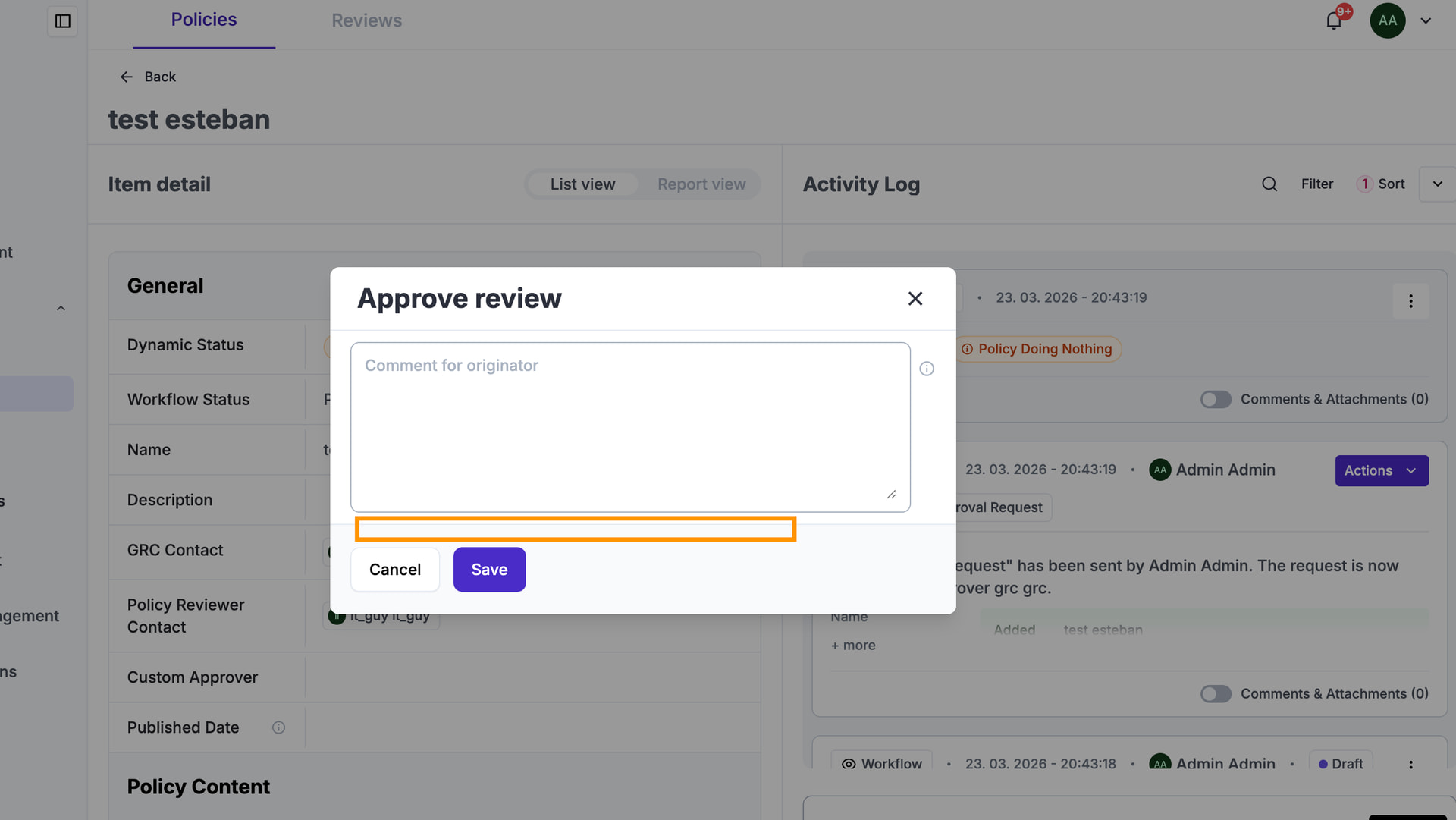
I think is very imprtnat that the next review date is visible as it is today on the columns (in particular because of notifications) and also on the activity log. also as a widget on the activity log. the review widget is important because is there where we will migrate teh existing reviews.
when the deadline comes, the system automatically puts the item on the “Pending Approval” state, if accepted the approval is done (we need a special remark that this was a review, not a simple approval) if it is denied we send the item to draft (again we need that special remark)
at the time the review triggers, the item for whatever reason can be on the following states:
- Draft: the review widget is shown on the activity log as “not required as item is in draft”, nothing really happens
- Pending: same as above
- Published: the widget for review shows and then the wiedge for approval (not sure if to do two or one with both things)
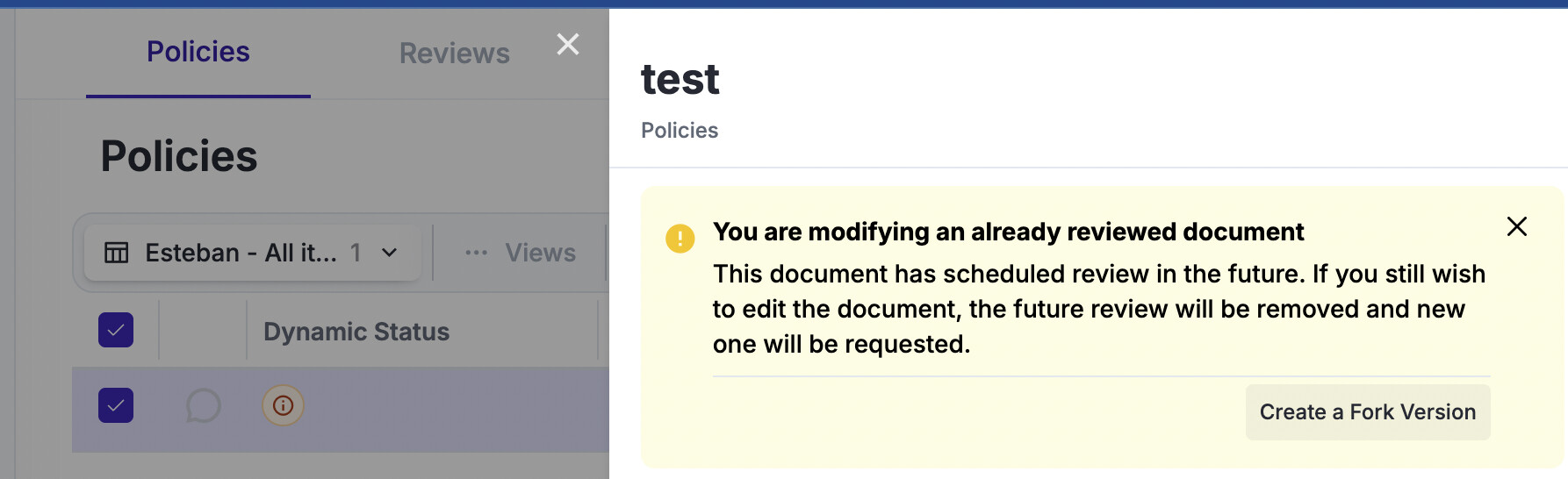
- Forked: the review widget is shown on the activity log as “blocked as item was on fork mode”
Workflow UX/UI:
- The same as workflows, all reviews will be managed from the “View” button
- The review tab will be there, but items will no longer be editable
- Views will be there, nothing changes
- Customisations will not be possible, if you detect there was something customised we will simply leave it there but it won’t be any more editable the custom field. THIS IS THE ONE THING WE ARE TAKING AWAY FROM CURRENT USERS.
- Notifications will be left as they are, nothing changes.
- Status will be left there, nothing changes.
- We could perhaps simply hide this tab all-together at least for new installs or customers that have never used the module.
Migration Process:
The migration to this new system will be complicated for:
- Existing installs that HAVE created at least one item on every module (Risk, Assets, Policies)
- Existing installs with enabled notifications, customisations, custom statuses, custom views and if they currently use APIs
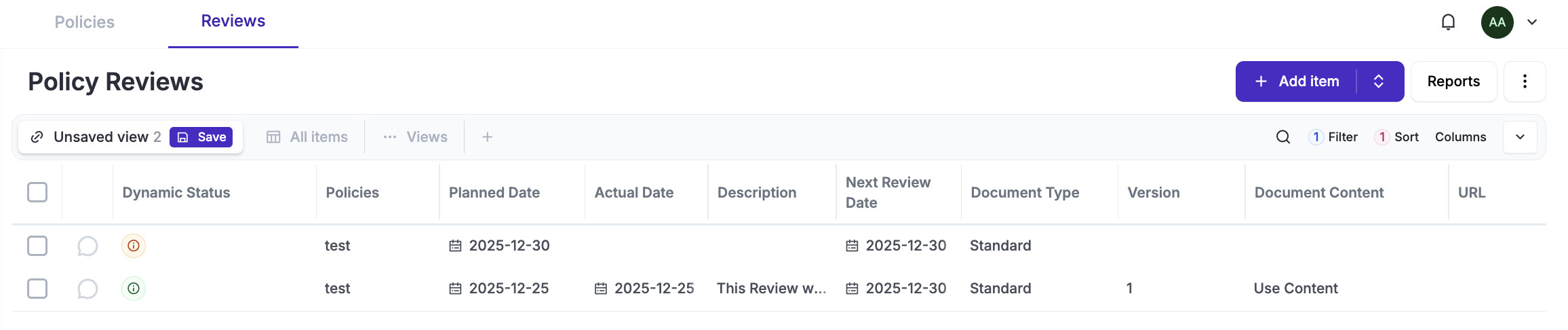
The concept is that both workflows and reviews will be managed the parent item. The migration process will take Review records and migrate them to the parent item “View” modal.
Stored Records:
During the workflow and review process there is a need to store specific records that will be then shown on the “View” button and review records. This is the list of what records we need to store for every step of the process:
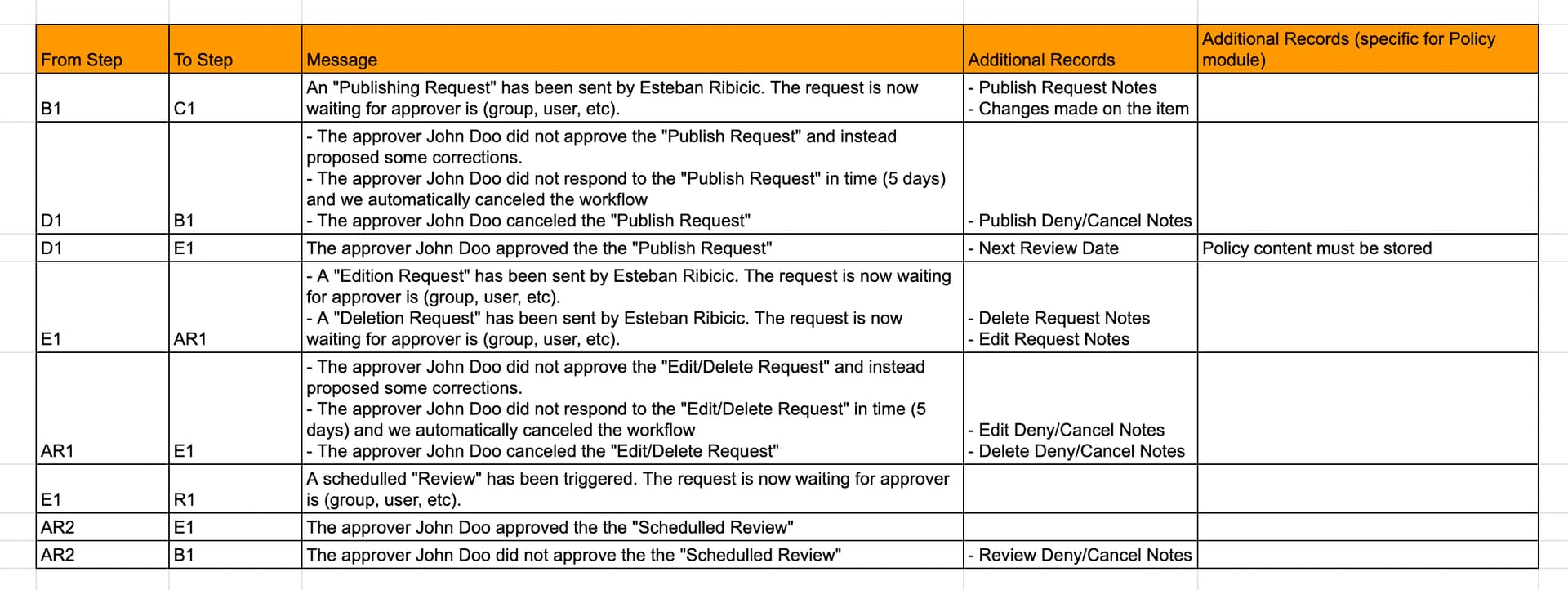
Ref: https://docs.google.com/spreadsheets/d/1wFgK1HVEutO1Ev7T0_mOYs_Upyab3z41vrgvYvPcY4o/edit?gid=0#gid=0
Policy Module Form (Upgrades)
The policy module will be simpler unless the user customised something:
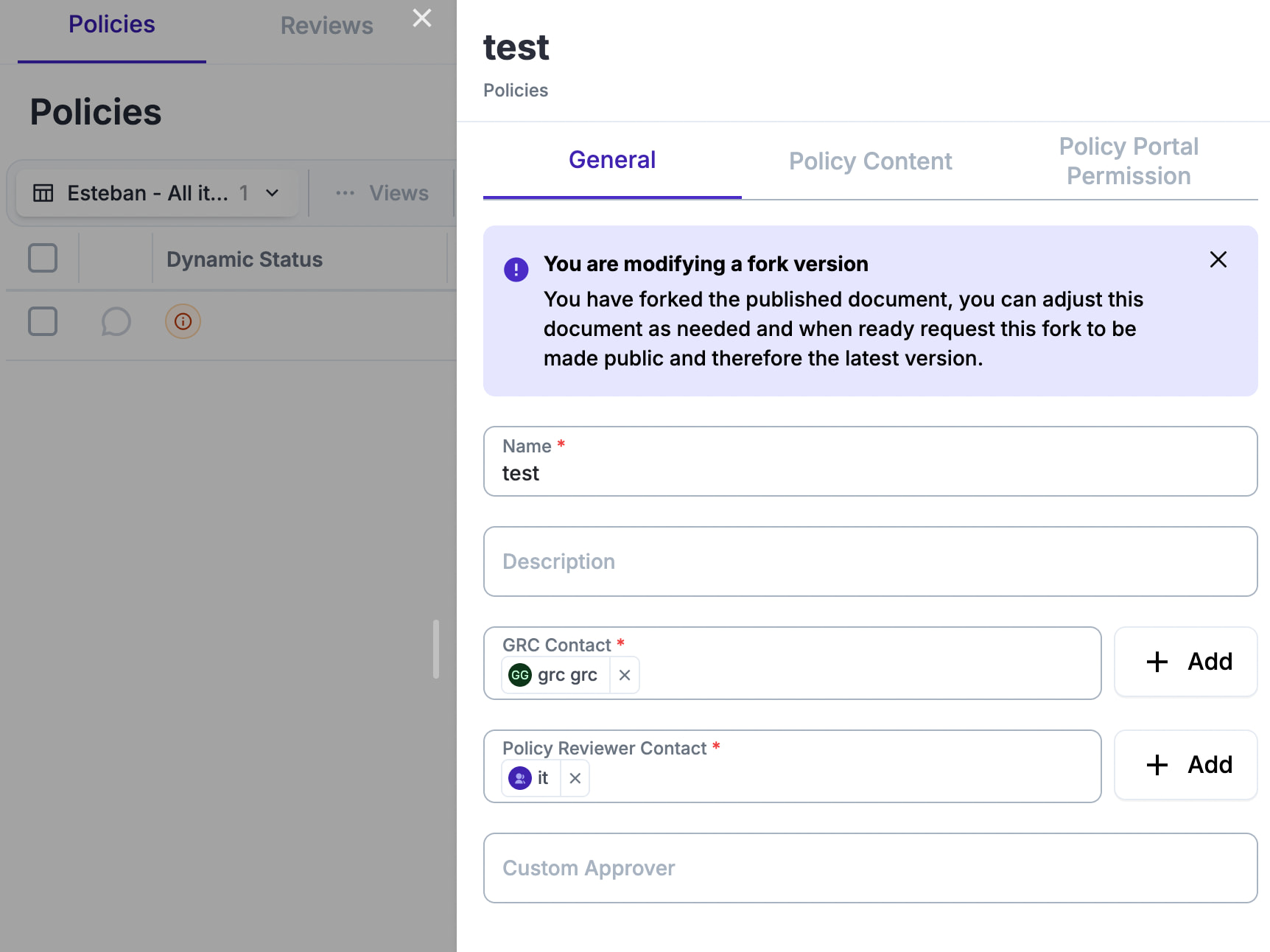
- General/Name*
- General/Description
- General/GRC Contact*
- General/Policy Reviewer Contact* (we might rename this to policy approver contact)
- General/Labels
- General/Type
- Content/Widget Editor
- The policy editor needs to be markdown as default
- We will leave “Backward” compatibility as a switch on-off only if they have policies written already there and the migration on Markdown shows something horrific.
- Portal/(Private|Public|Limited) - by default “Private”, if they switch to “Public or Limited” and the portal is disabled you need to show a warning.
Note on editors: TipTap ( Tiptap Rich Text Editor - the Headless WYSIWYG Editor ) or this too Introducing our new composer, making writing on Discourse easier than ever - Announcements - Discourse Meta
New Editor features:
- Security problems by people injecting javascript
- Validation that we have in place completely breaks down the format of documents
- Validation is worthless, no one ever touches it
- We still have many policies created using the old method, so how we migrate them?
How we migrate the old policies:
- We let users play with legacy editor that allows the same as today?
- All new policies use the basic editor as vanta?
Policy Portal
TBD